We’re thrilled to announce that the iCollect Everything website has been completely rebuilt from the ground up. This isn’t just a refresh — it’s an entirely new web application that brings dozens of features previously only available in our mobile and desktop apps directly to your browser. Whether you’re on your phone, tablet, or desktop computer, the new website delivers a fast, beautiful, and fully featured collection management experience.
Go ahead and try it out! Here’s a live example you can explore right now:
A Fully Responsive Design
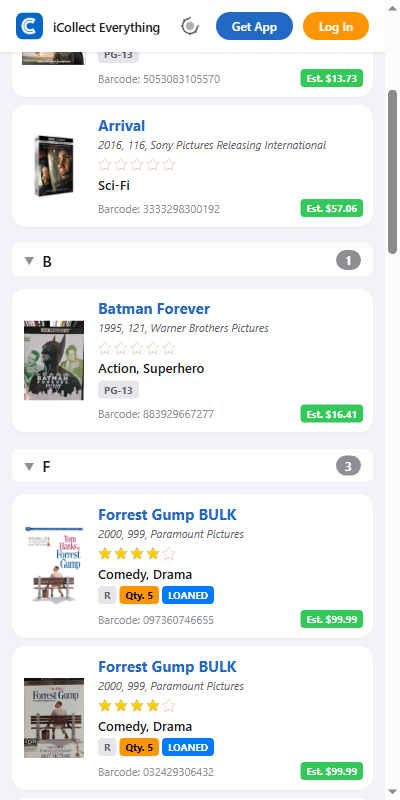
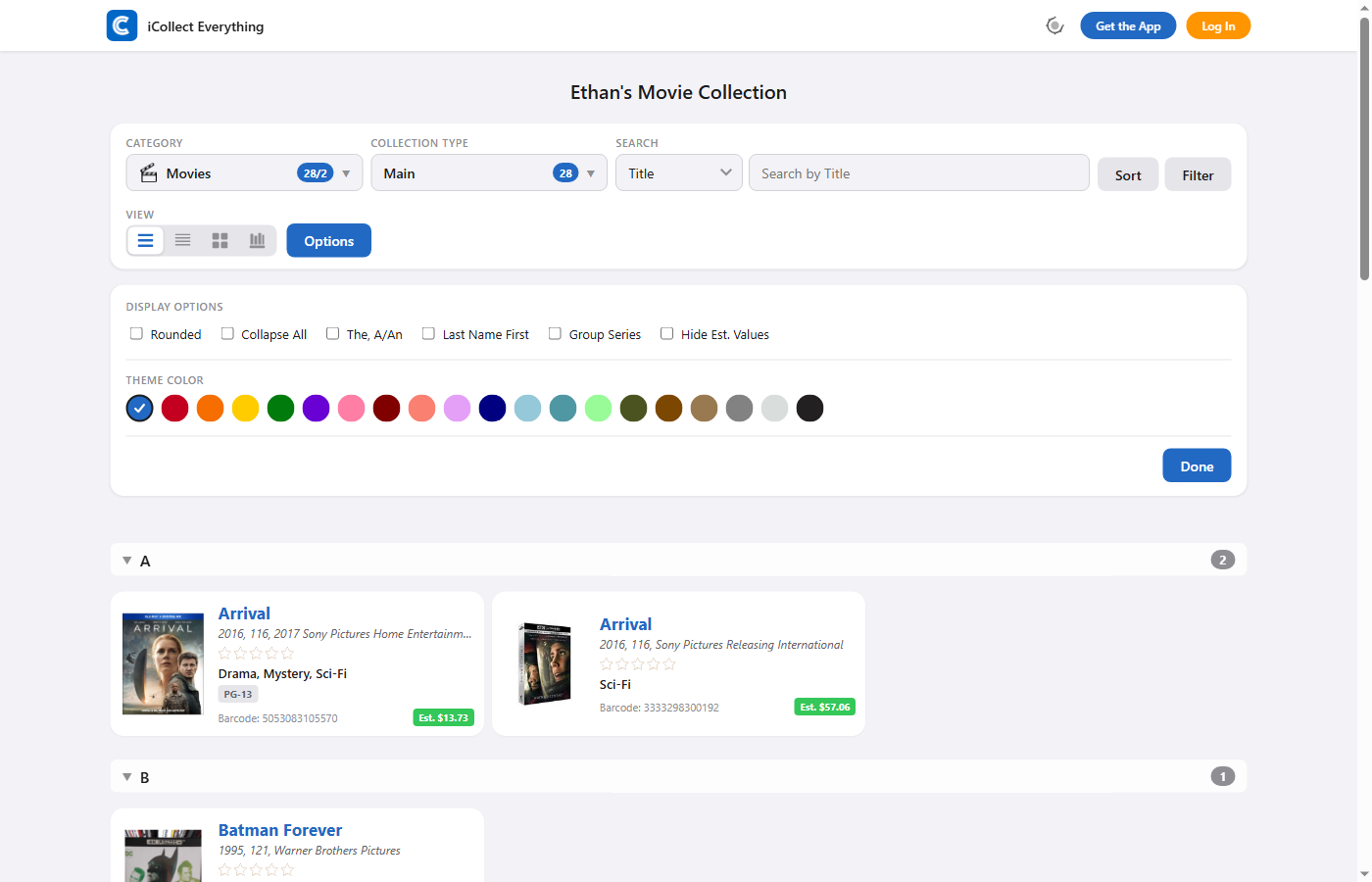
The new website looks stunning on any screen size. The layout automatically adapts whether you’re on a wide desktop monitor, a tablet, or a small phone screen. Touch targets are optimized for mobile, modals go full-screen on smaller devices, and images display in a smooth horizontal carousel with swipe gestures on phones.
Here’s how a collection looks on desktop:
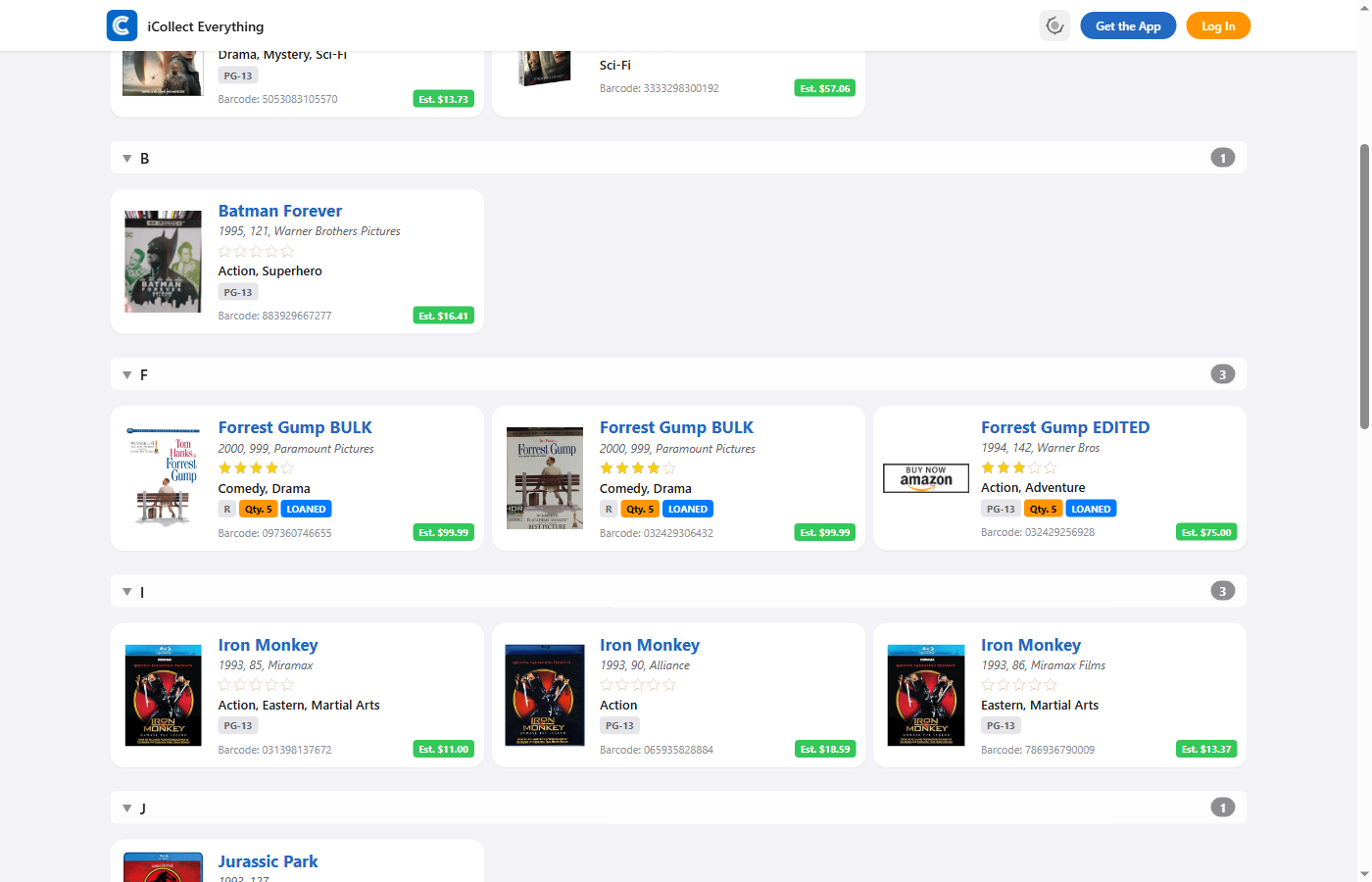
And here’s the exact same collection on a mobile device — everything is optimized for touch and smaller screens:
Four View Modes
Your collection, your way. Choose from four distinct view modes to display your items exactly how you prefer:
- Extended List — The default view. Full item cards with thumbnail images, multiple rows of data (title, subtitles, labels), star ratings, and color-coded status badges showing estimated values, quantities, loan status, preorder status, and more. Best for detailed browsing.
- Compact List — Streamlined rows with smaller thumbnails and fewer data rows. Fits more items on screen while still showing the essentials. Ideal for quick scanning through large collections.
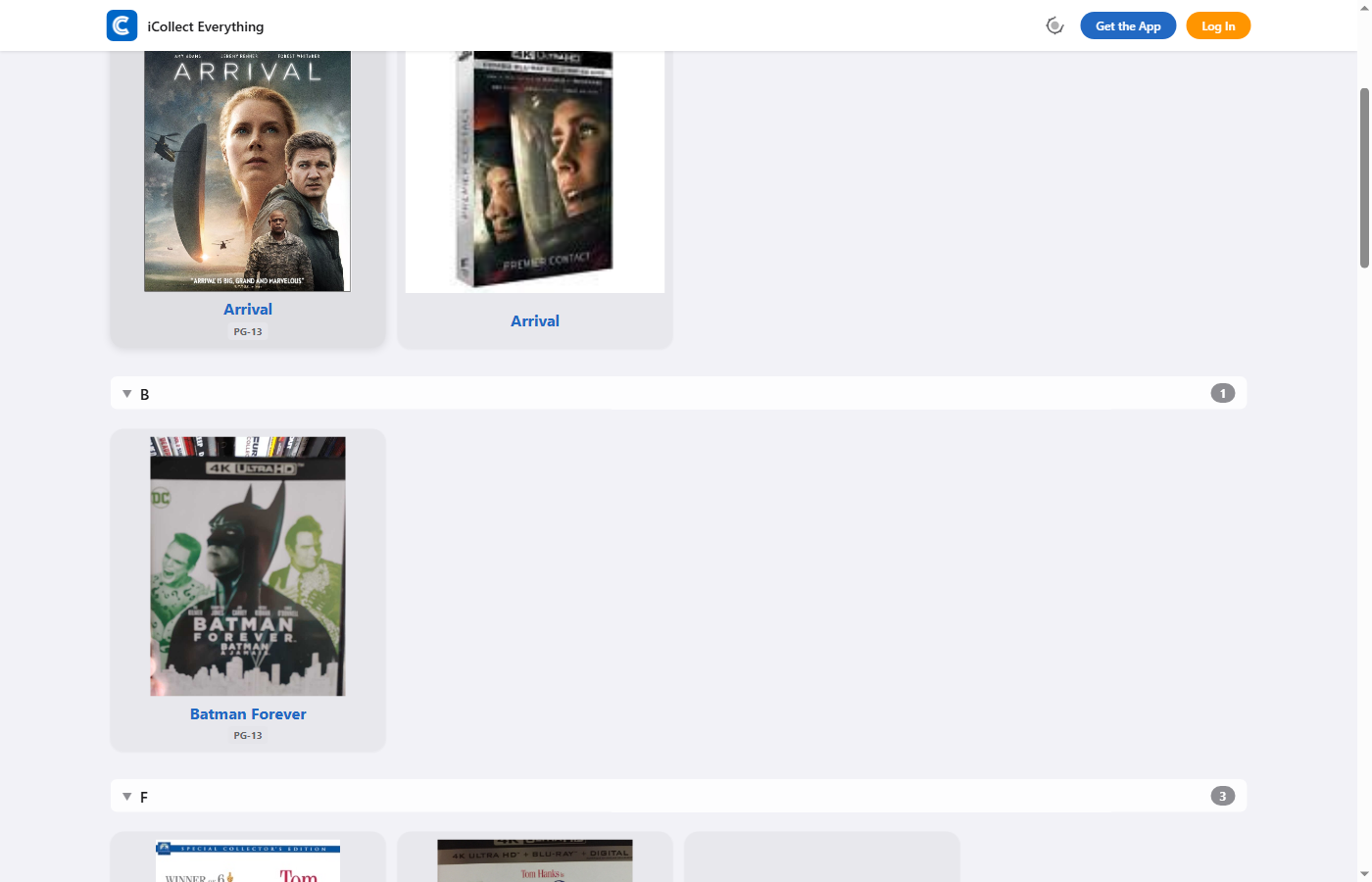
- Grid — A visual grid layout with adjustable columns (2 to 8 per row via a slider). Shows item thumbnails prominently with optional titles beneath. Perfect for visual collections like movies, books, or trading cards.
- Bookshelf — Items displayed on a virtual wooden shelf. Same column control as grid mode. Great for showcasing book spines, DVD cases, or any collection that looks beautiful on a shelf.
Each view mode remembers its settings independently, and you can switch between them instantly using the view mode buttons in the toolbar.
Dark Mode & 20 Theme Colors
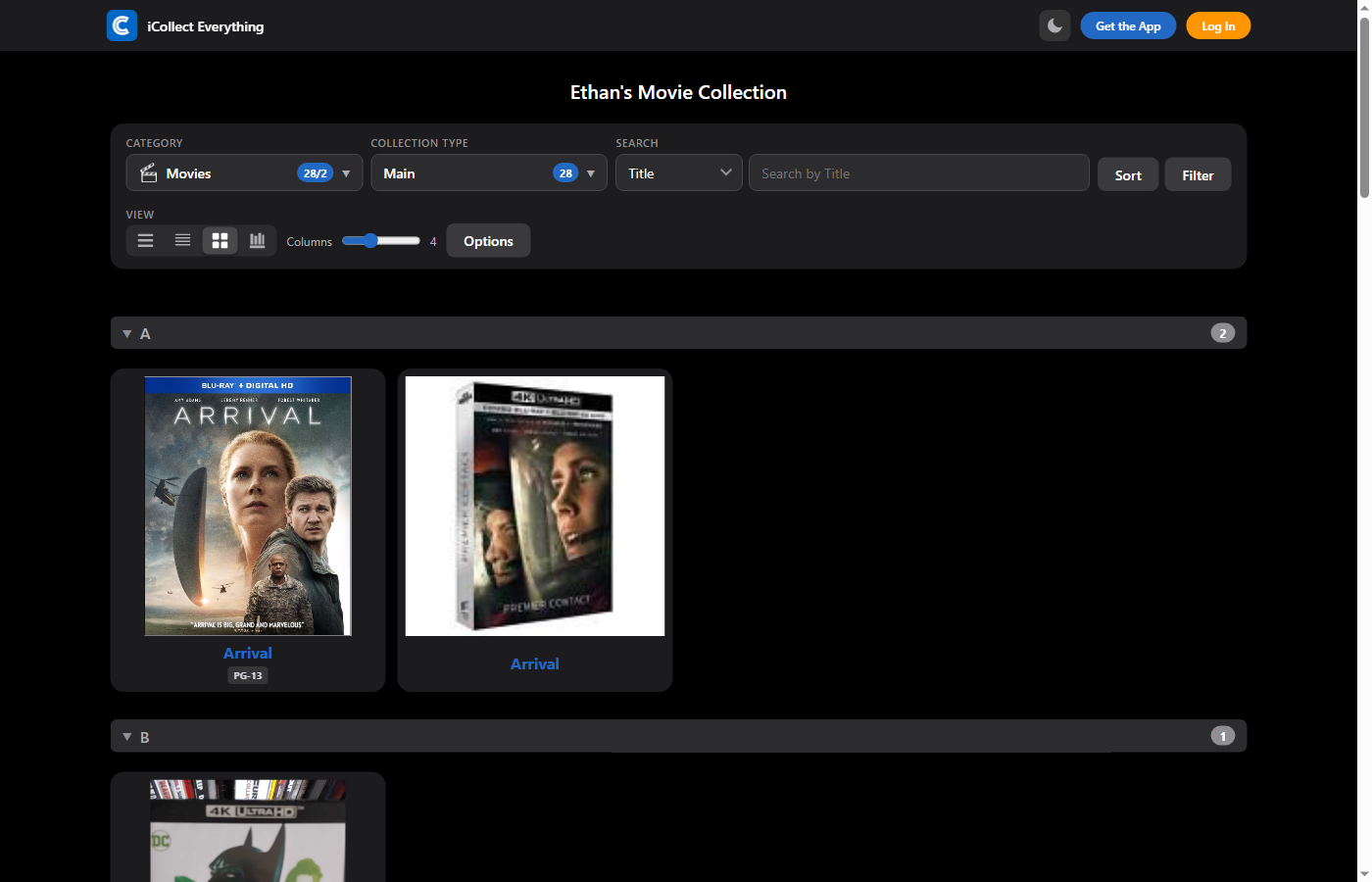
One of the most requested features is here — full dark mode support. The dark theme isn’t just a simple color inversion. It’s a carefully designed dark experience with rich surface colors, adjusted text opacity, and brighter accent colors for readability. Three theme states are available: Auto (follows your operating system preference), Light, and Dark. A theme toggle button in the header lets you cycle through modes with a single click.
Here’s the collection page in dark mode with grid view:
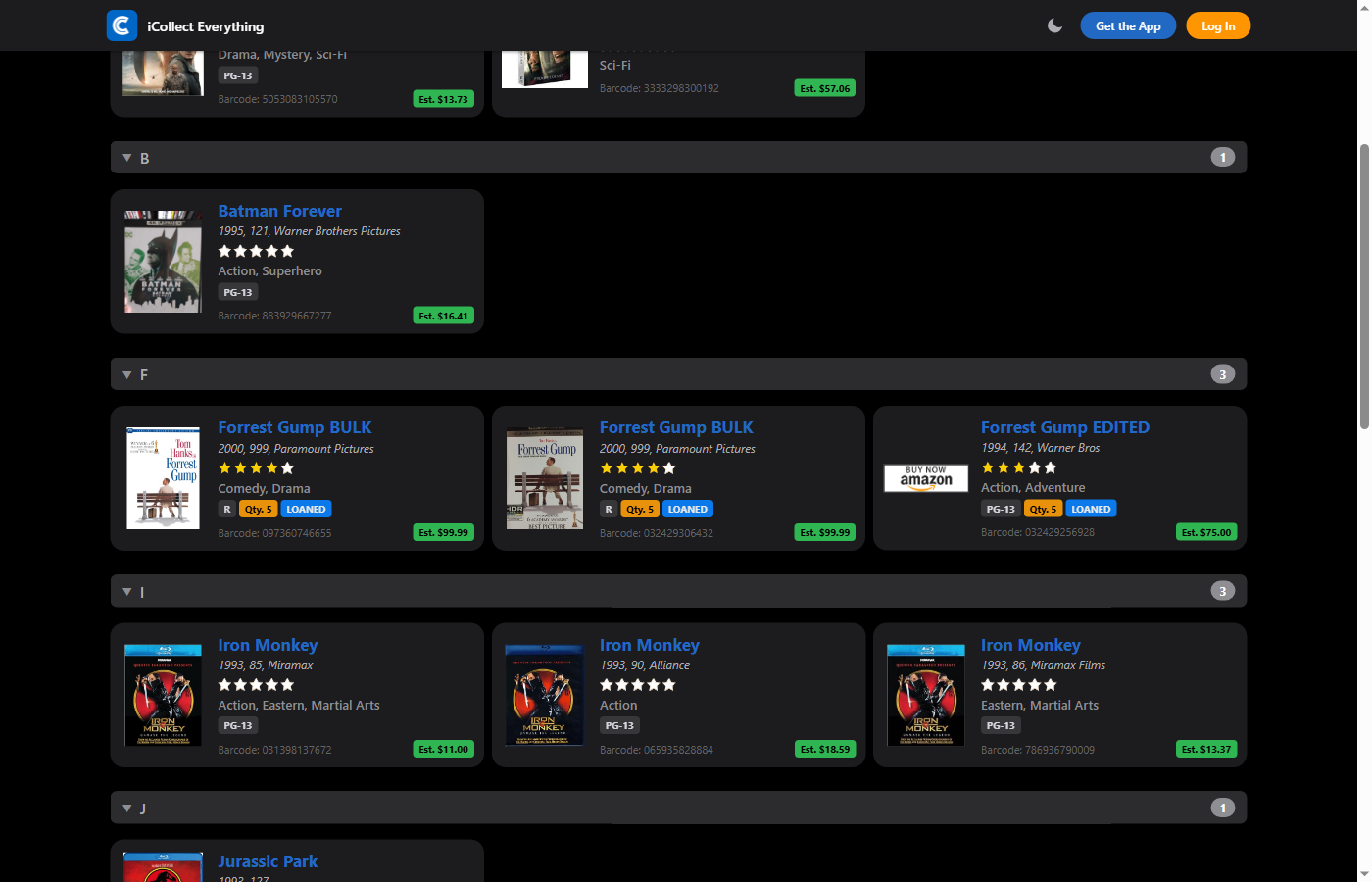
And here’s the extended list view in dark mode, showing item cards with star ratings, estimated value badges, and all the rich detail you’d expect:
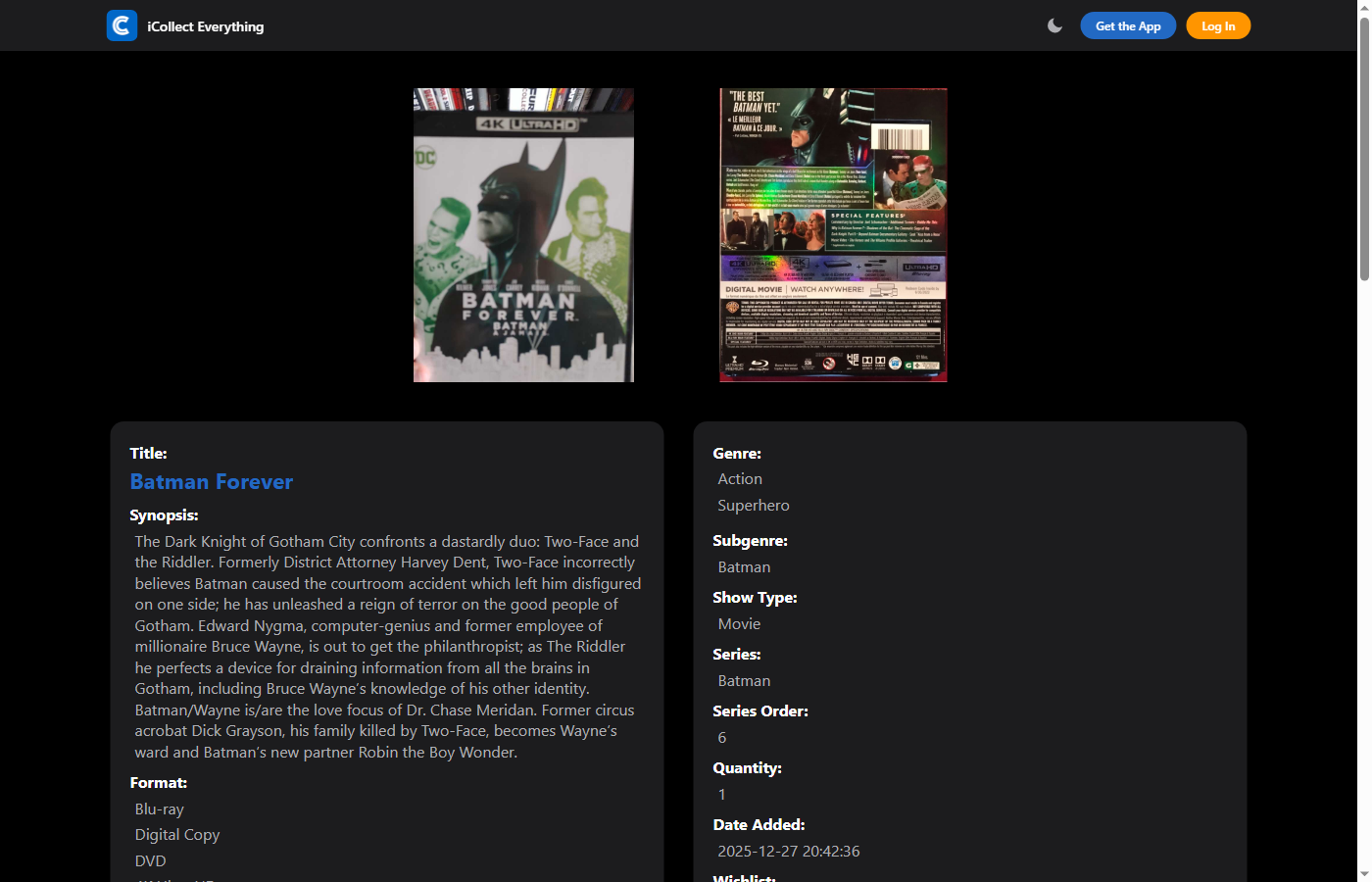
The item detail page looks gorgeous in dark mode too:
On top of dark mode, you can also choose from 20 handcrafted accent colors to personalize your collection’s look: Blue, Red, Orange, Yellow, Green, Purple, Pink, Maroon, Salmon, Lavender, Navy, Sky, Teal, Mint, Army, Brown, Tortilla, Gray, Pearl, and Charcoal. The accent color flows through buttons, links, badges, active states, and the collection toolbar — giving your collection a truly personal feel.
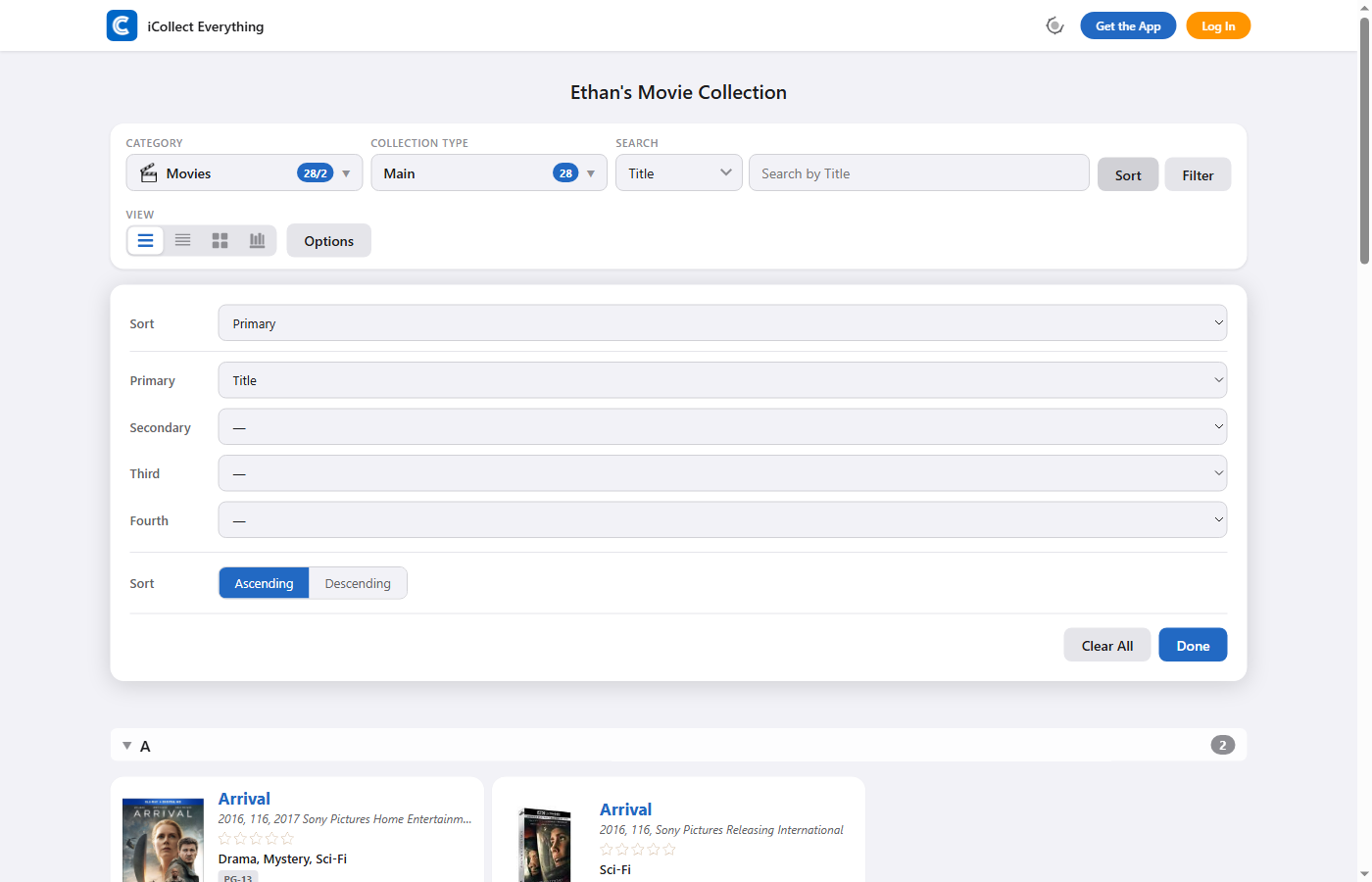
Multi-Level Sorting
The new sort panel supports up to four levels of sorting, each with its own field selector and ascending/descending direction toggle. For example, you could sort your movie collection by Genre (A→Z), then by Year (newest first), then by Title (A→Z), then by Date Added (newest first).
Sorting also comes with several smart options:
- Section grouping — Items are grouped under collapsible section headers based on your primary sort field, with item count badges.
- “The, A/An” article handling — Automatically moves leading articles to the end of titles for more natural alphabetical ordering (e.g., “The Dark Knight” sorts as “Dark Knight, The”).
- “Last Name First” mode — For person-type fields like Director or Author, displaying and sorting as “Last, First.”
- “Group Series” mode — Clusters items belonging to the same franchise or series together under one header.
Advanced Filtering
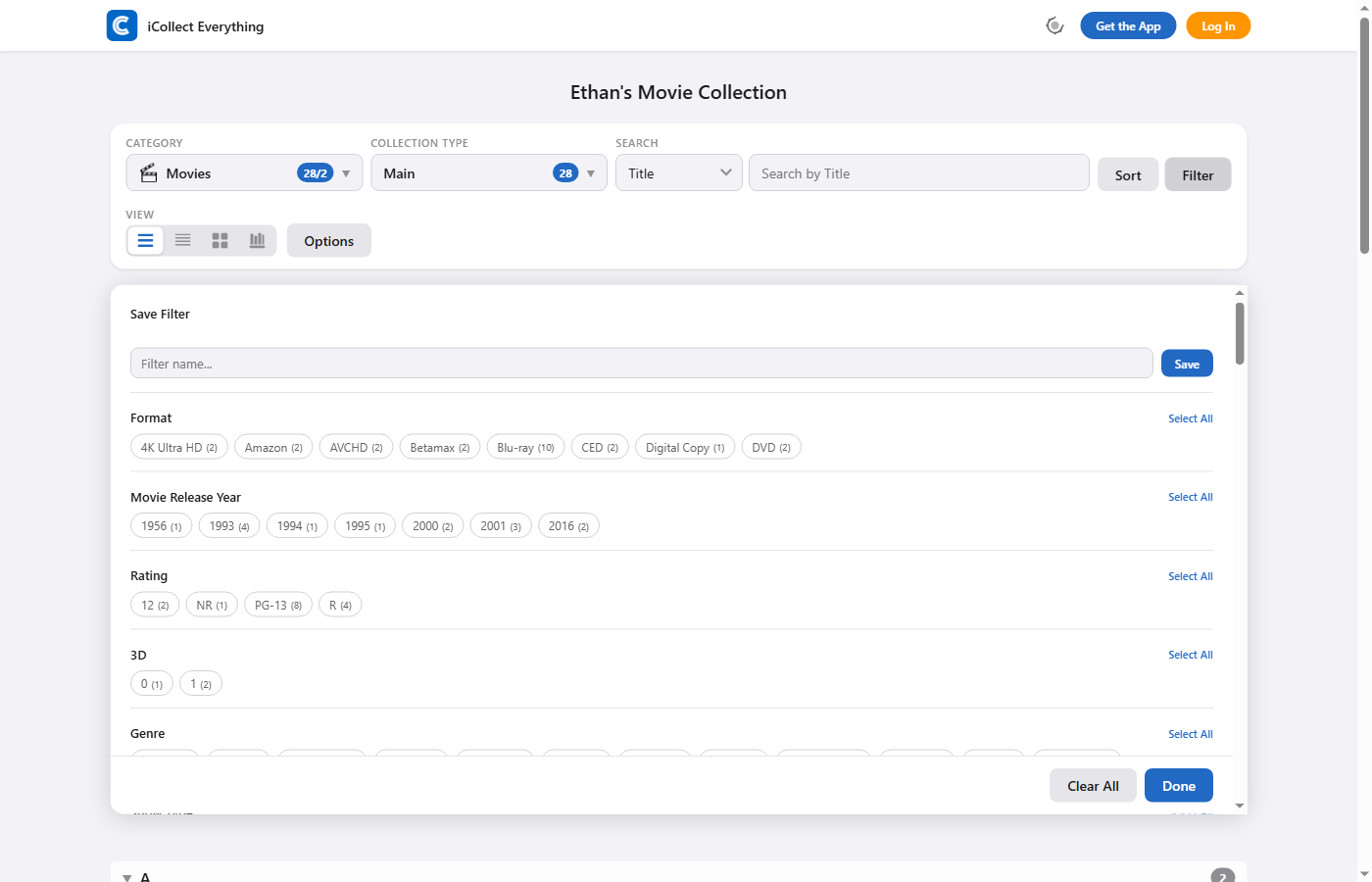
The filter panel lets you add multiple filter rules across any field in your collection. Each filter has a field selector and a powerful set of operators:
- Contains / Does Not Contain
- Starts With / Ends With
- Equals / Not Equals
- Is Empty / Is Not Empty
- Greater Than / Less Than
Multiple filters apply simultaneously, and active filters display as removable chips below the toolbar with a “Clear All” action. You can even save filters as named presets for quick access later.
Display Options & Customization
The Options panel gives you fine-grained control over how your collection looks:
- Rounded Corners — Applies rounded corners to item thumbnails in all views.
- Hide Titles — Removes text labels below thumbnails in Grid and Bookshelf modes.
- Collapse All — Collapses all section headers at once for a cleaner view.
- Hide Estimated Values — Hides the green estimated value badges on item cards.
- Items Per Page — Choose from 25, 50, 100, 200, 500, or Show All.
- Theme Color — Pick from 20 accent colors.
- Bulk Edit & Bulk Delete — Select multiple items with checkboxes for batch operations (owner only).
All of your display preferences are saved per-collection, so each of your collections can have its own unique look.
Beautiful Item Detail Pages
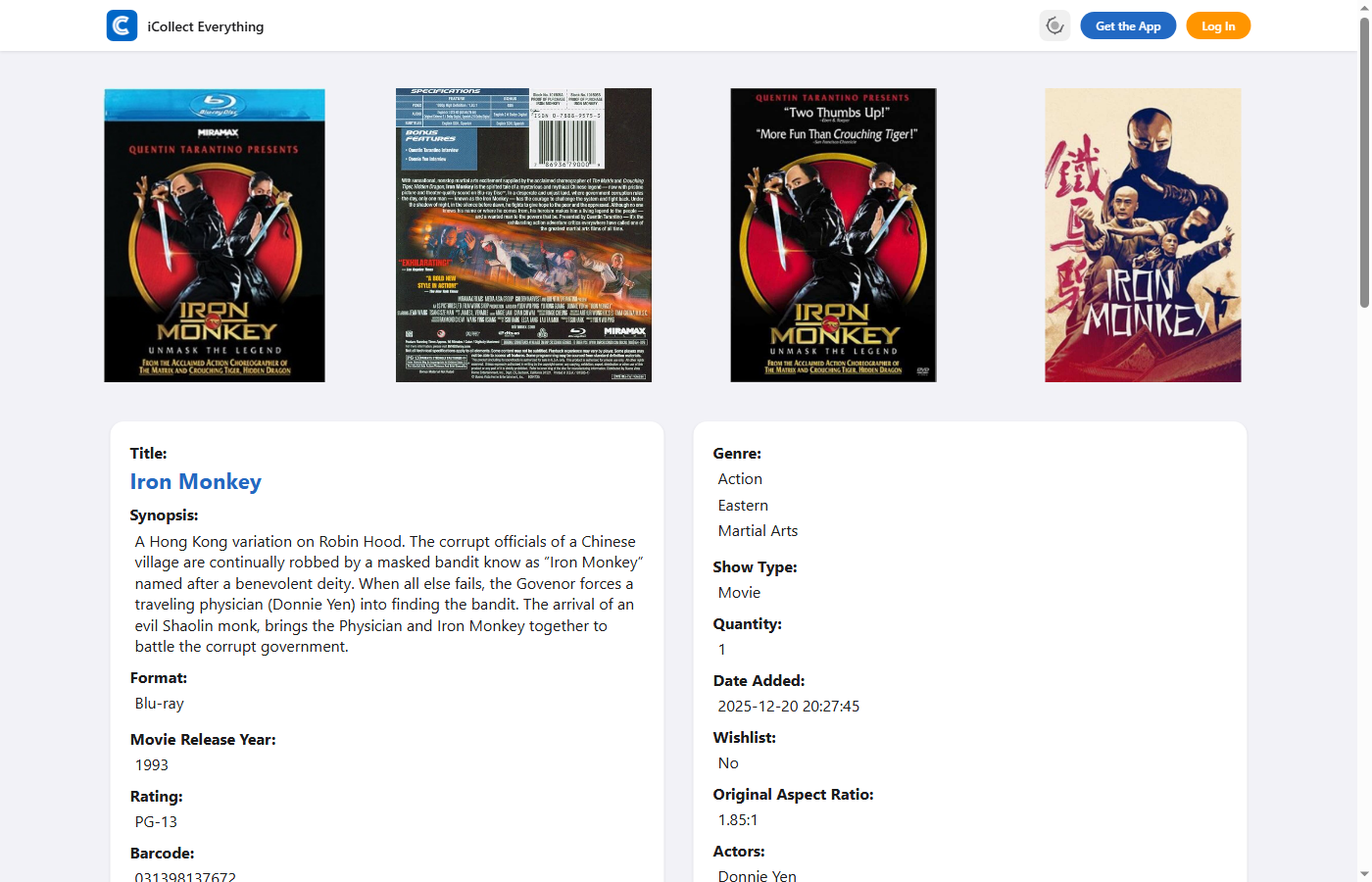
Tapping on any item opens a rich detail page with all your item’s information organized into clean, collapsible sections. The detail page features:
- Field sections organized just like in the app, with titles, text fields, star ratings, toggle fields, currency values, multi-value lists, and more.
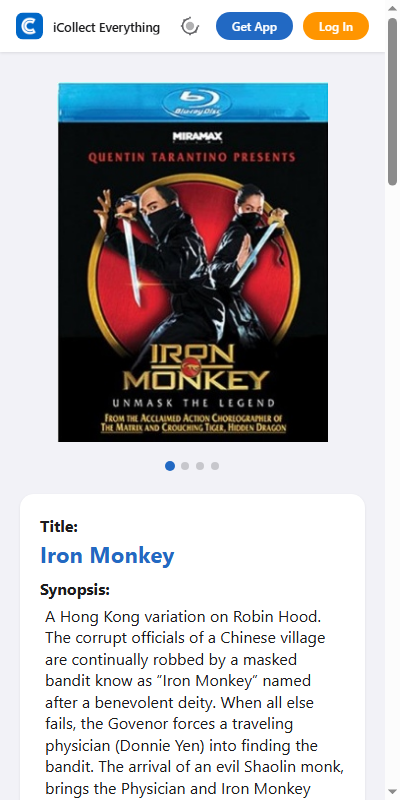
- Up to 10 images per item, displayed as a flexbox grid on desktop or a horizontal scroll carousel with snap points and interactive dot indicators on mobile.
- A fullscreen lightbox for viewing images — with Previous/Next navigation, keyboard controls (arrow keys and Escape), and touch swipe gestures.
- Related items section showing similar items from the same collection type.
- System fields like Quantity, Date Added, and Wishlist status automatically included.
Item detail pages are just as polished on mobile:
Manage Your Collection on the Web
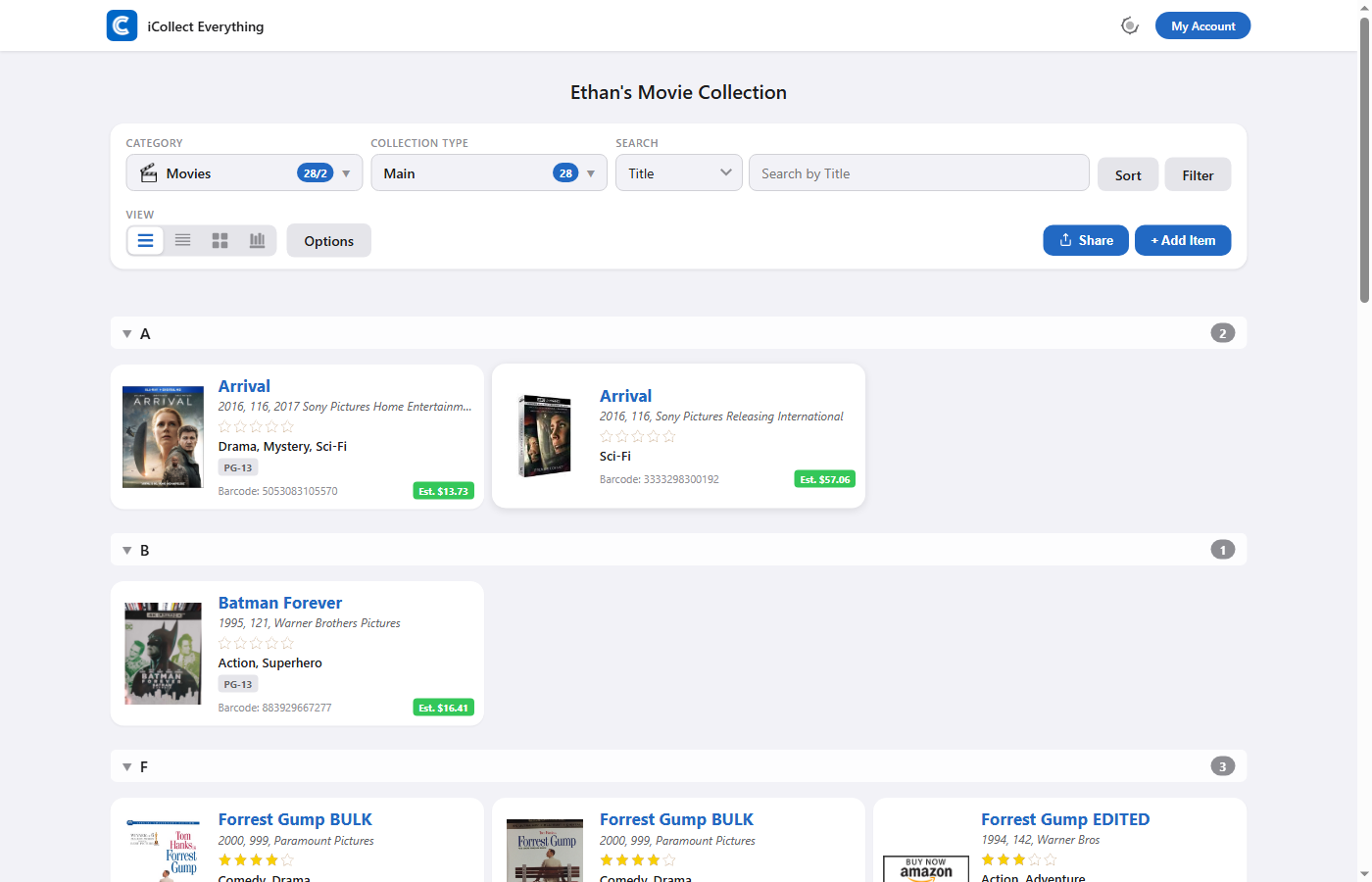
When you log in to your account, you unlock powerful management features right in your browser — no app required. The toolbar expands to show Share View, Edit Fields, and Add Item buttons, giving you full control over your collection.
Adding Items
The Add Item experience is one of the most powerful features on the new website. Depending on your collection type, you have multiple ways to add items:
- Database Search — For built-in collection types (Movies, Books, LEGO, Video Games, and many more), simply type a title to search our database. Results appear in a visual sectioned grid with thumbnails, titles, and estimated values. You can sort and filter the search results, and add items with a single click.
- Barcode & ISBN Lookup — Enter a barcode (EAN-13 or UPC-A) or ISBN to instantly look up an item in our database.
- Barcode Scanning — If your device has a camera, activate live barcode scanning to add items by simply pointing your camera at them. A Bulk Scan Mode lets you rapidly scan item after item, with each barcode automatically looked up and added to your collection.
- Image Recognition — For trading cards and stamps, use your camera to capture an image and let our recognition system identify the item for you.
- Drilldown Navigation — Browse through categories hierarchically (e.g., Sport → Brand → Year → Set Name for trading cards, or Country → Denomination → Color for stamps).
- Manual Entry — Fill in all fields manually for any collection type, with support for text, dates, currencies, star ratings, toggles, multi-select, person lists, and drag-and-drop image upload (up to 10 images).
- Bulk Add — Toggle Bulk Mode to select multiple items from search results and add them all at once with a progress indicator showing item-by-item status.
Inline Editing
Collection owners can edit items directly on the detail page. Click the Edit button and every field transforms into an appropriate edit control — text inputs, date pickers, star rating clickers, toggle switches, multi-select modals, currency pickers, and more. A drag-and-drop image zone lets you add, remove, and reorder item images. Unsaved changes are tracked so you won’t accidentally lose your work.
Account Settings
The new Account Settings panel gives you complete control over your collections with a tabbed interface:
- Collections Tab — View all your collections, show or hide them, create custom collections with your own fields (13 field types available including text, toggles, star ratings, dates, currency, country selection, and more), edit existing collections, rename, or delete them.
- Value Tab — See total estimated values and purchase prices across your collection, broken down by currency, with profit/loss calculations.
- Cell Data Tab — Customize which fields appear on item tiles in the collection listing. Configure up to three subtitle rows and two label rows per collection.
- Default Data Tab — Set default values that auto-populate when adding new items. Great for setting a default storage location, condition, or currency.
- Edit Fields Tab — Control which fields are visible on item detail pages. Show or hide individual fields with bulk “All Visible” and “All Hidden” shortcuts.
- Privacy Tab — Three privacy levels to control who can see your collection:
- Public — Anyone with the URL can view your collection.
- Fully Private — Only visible when logged in as the collection owner.
- Private Except Shared Links — The collection is private, but anyone with a specific shared view link can still access it. Perfect for sharing curated views while keeping the main collection private.
Share Views
Want to share a specific view of your collection with friends or family? You can save your current view state — including sort order, active filters, view mode, display options, column count, and theme color — as a named view. The system generates a shareable URL that restores all those settings when opened. You can optionally allow or restrict viewers from changing the sort, filters, and search.
Custom Collections
Create fully custom collection types tailored to whatever you collect. The custom collection builder supports 13 field types:
- Text Box, Text Field, and Short Text Box
- Toggle On/Off
- Star Rating (1–5 stars)
- Date Picker, Year Picker, Month Picker, and Month Year Picker
- Single Selection and Multiple Selection dropdowns
- Currency Picker (supporting 16 currencies worldwide)
- Country Selection
Fields can be reordered, renamed, and removed at any time. Whether you’re collecting vinyl records, vintage cameras, Funko Pops, wine, sneakers, or anything else — you can build the perfect collection structure for it.
Pro Subscriptions on the Web
iCollect Everything Pro is now available directly on the website at $69.99/year — that’s $10/year cheaper than subscribing through the iOS or Android app stores, where the same subscription costs $79.99/year due to app store fees. By subscribing on the web, you save $10 every year while getting the exact same Pro features across all platforms. Pro unlocks premium features including:
- AI item scanning and image recognition
- Barcode and ISBN scanning
- Unlimited collections, items, and images
- Advanced sorting and filtering
- Custom fields and custom collections
- CSV export
- Collection statistics
- Theme colors and customization
- Inline editing on the web
- And much more
Already subscribed through the iOS or Android app? No problem — your Pro subscription automatically carries over to the web. Just log in with the same account and you’ll have full access.
Bilingual Support: English & German
The entire website is fully bilingual, supporting both English and German. Every piece of text — button labels, tooltips, error messages, field descriptions, color names, and more — is professionally translated. The language is automatically detected based on your collection settings, so German-speaking collectors get a fully native experience.
Browse the Database
Even without an account, anyone can browse the iCollect Everything database. The Categories page lists all 54+ built-in collectible types (Movies, Books, LEGO, Trading Cards, Stamps, Video Games, Comic Books, and many more) plus user-created custom collections. Click any category to browse its items, each linking to a full detail page.
How to Access Your Personal Collection URL
There are two easy ways to access your personal collection on the web:
Option 1: Log In on the Website
Visit icollecteverything.com/account and log in with the same email and password you use in the app. You can also click the "Log In" button in the top right corner of any collection page. Once logged in, you’ll have full access to all of your collections with complete management capabilities — add items, edit data, manage fields, and more.
Option 2: Share from the Mobile or Desktop App
In the iCollect Everything app (iOS, Android, or desktop), tap the Share icon to get a direct link to your collection. You can share this link with friends, family, or anyone you’d like to show your collection to — they don’t need an account to view it.
What’s Next
This launch is just the beginning. We’re actively working on exciting new features:
- Additional language support beyond English and German
- Enhanced AI-powered item recognition
- Automatic value tracking and price history charts
- Collection analytics and insights dashboard
- Batch barcode scanning improvements
- Multi-user collection sharing and collaboration
- Marketplace integration for buying, selling, and trading
- Insurance report generation
- AR shelf visualization
- Collection goals and milestones
Every one of these features will work seamlessly across web and mobile, with your data syncing in real-time.
Try It Now
The updated website is live and ready for you to explore. Visit your collection, share it with friends, or log in to manage your items from any device.
Explore the Example Movie Collection
We’d love to hear what you think! If you have any feedback or questions, feel free to reach out to us through the app or at our contact page.