
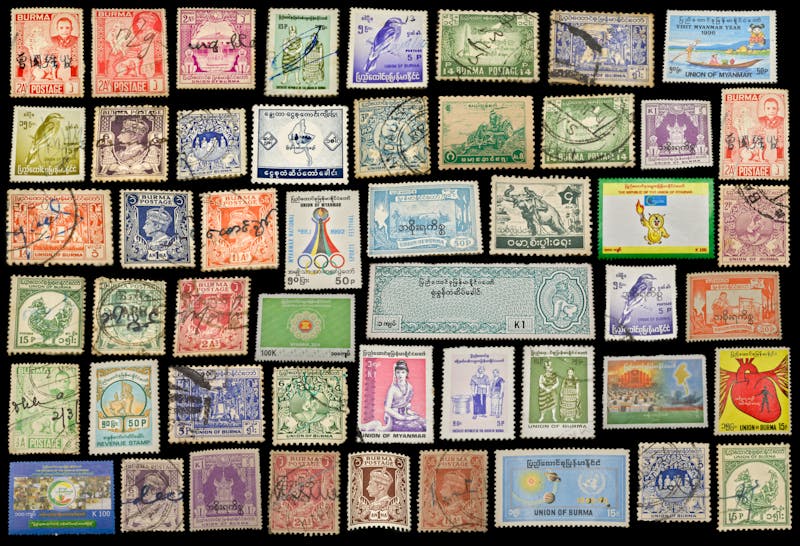
My dad collected stamps for forty years. Shoeboxes full of them, sorted into glassine envelopes with handwritten labels. When he passed, I inherited the whole lot — and I had no idea what any of it was worth, what countries half of them came from, or which ones were rare.
That’s when I started looking for a stamp collecting app. And honestly? The options were thin. This isn’t like movies or books where there are a dozen cataloging apps. The stamp collecting software market is small, and most of what exists feels like it was built in 2005.
Here’s what I found after testing everything I could get my hands on.
What Stamp Collectors Actually Need From an App
Stamps aren’t like other collectibles. A barcode on a DVD tells you everything. Stamps don’t have barcodes. They have Scott numbers, Michel numbers, perforation gauges, watermarks, and condition grades. Any stamp collecting app worth using needs to handle this complexity.
Here’s the checklist:
- A large database — covering USPS, Royal Mail, Deutsche Post, and international issues
- Detailed fields for denomination, year of issue, color, perforation, watermark, and condition
- Photo support — take pictures of your stamps for visual identification
- Estimated values to understand what your collection is worth
- Works on your phone AND your computer (you need a big screen for serious cataloging)
- Not subscription-only — many stamp collectors are hobbyists who don’t want another monthly bill
The Best Stamp Collecting Apps in 2026
1. iCollect Stamps — Best Overall Stamp Collecting App

iCollect Stamps (part of the iCollect Everything family) is purpose-built for philatelists. It launched on iPhone in late 2025 and already has the most comprehensive stamp database we’ve seen in a mobile app.
What sets it apart:
- Massive stamp database covering stamps from countries worldwide — USPS, Royal Mail, Poste Italiane, Deutsche Post, La Poste, and more
- Full detail fields: denomination, issue date, color variety, perforation gauge, watermark type, condition grade
- AI Auto-Fill — photograph a stamp and the app identifies it and fills in details
- Estimated market values that update automatically
- Works on iPhone, iPad, Android, Mac, Windows, and the web
- Sync between all your devices — scan on your phone, organize on your desktop
- Free to download and start using — no credit card required
The honest limitation: The database is growing fast but won’t have every obscure local issue from every country yet. For very specialized areas (like pre-1900 German States or early Chinese imperials), you might need to add some items manually. The AI identification feature helps bridge these gaps.
 |
 |
2. EzStamp — The Veteran Desktop Software
EzStamp has been around for years and holds a license from the Scott catalogue numbering system. If you think in Scott numbers, EzStamp speaks your language. It’s Windows-only desktop software with a deep US stamp database.
Good for: US collectors who want Scott catalogue integration and don’t need mobile access.
Drawbacks: Windows only — no Mac, no iPhone, no Android. The interface looks dated. No cloud sync. No barcode or photo scanning. Paid software with no free tier.
3. StampWorld — Free Online Catalogue
StampWorld is a massive free online stamp catalogue with millions of stamps listed. It’s not really an app — it’s a website where you can browse stamps by country and mark which ones you own.
Good for: Browsing and identifying stamps. The catalogue is impressively comprehensive.
Drawbacks: It’s a website, not a personal collection manager. No dedicated mobile app. No value tracking. No photo storage for your own stamps. The “collection” feature is basic compared to dedicated software.
4. Stamp ID Pro — AI Identification Only
Stamp ID Pro uses AI to identify stamps from photos. Point your camera at a stamp, and it tries to tell you what it is. It’s clever technology, but it’s an identification tool — not a collection manager.
Good for: Quick ID of unknown stamps. Pair it with a collection app for actual tracking.
Not good for: Organizing, cataloging, or valuing your collection.
Why We Built iCollect Stamps
We kept hearing from collectors: “I have 2,000 stamps and no way to catalog them digitally.” The options were either expensive Windows-only desktop software, or websites that didn’t work well on mobile.
So we built iCollect Stamps with two priorities: make it work on every device (iPhone, Android, Mac, Windows, web) and make it free to start. You shouldn’t have to pay $50 just to find out if a stamp app works for your collection.
The AI Auto-Fill feature was born from a real problem — most stamps don’t have barcodes. You can’t scan them like a book. But you CAN photograph them, and our AI can identify the country, denomination, year, and series from the image. It’s not perfect on every stamp ever printed, but it handles the majority of 20th and 21st century issues well.
|
|
Getting Started
Download iCollect Stamps on iPhone/iPad or Android. The free tier lets you start cataloging immediately. Grab a stock book, open the app, and start photographing your stamps. The AI will identify what it can, and you fill in the rest.
For serious cataloging sessions, use the desktop app on Mac or Windows where you have a big screen and keyboard. Everything syncs automatically.
Frequently Asked Questions
What is the best stamp collecting app for iPhone?
iCollect Stamps is the best stamp collecting app for iPhone, with AI stamp identification, a worldwide database, estimated values, and sync across all your devices. Free to download from the App Store.
Is there free stamp collecting software?
Yes. iCollect Stamps has a free tier on iPhone, Android, Mac, and Windows. StampWorld is a free online catalogue. EzStamp is paid-only.
Can an app identify stamps from photos?
iCollect Stamps has AI Auto-Fill that identifies stamps from photographs — detecting the country, denomination, year, and series. Stamp ID Pro is another option for identification only (not collection management).
What’s the best stamp collection software for Windows?
For Windows users, iCollect Everything (which includes the stamp module) offers a native Windows app with barcode scanning, AI identification, and sync. EzStamp is a Windows-only alternative with Scott catalogue integration.
How do I catalog my inherited stamp collection?
Start by photographing stamps with the iCollect Stamps app — the AI will identify many of them automatically. For stamps the AI doesn’t recognize, search the database by country and year. Work through one country or album at a time rather than trying to catalog everything at once.
