We are beyond excited to announce the biggest update ever to iCollect Everything for Mac. This is not a minor refresh or incremental improvement — this is a complete ground-up rebuild of the entire application, designed and optimized for macOS Tahoe (macOS 26). Whether you collect books, comics, vinyl records, trading cards, video games, LEGO sets, action figures, or anything else, iCollect Everything for Mac is the most powerful collection management app available on the Mac App Store.
This massive update brings AI-powered features, a stunning native SwiftUI interface, multiple view layouts, trading card support, German localization, and hundreds of quality-of-life improvements. Let’s dive into everything that’s new.
Download iCollect Everything for Mac on the App Store
A Complete SwiftUI Redesign — Built Natively for macOS Tahoe
The most significant change in this update is a full migration from storyboards and XIBs to native SwiftUI. Every single screen, dialog, and view in the app has been rebuilt from scratch using Apple’s modern declarative UI framework. This isn’t just a visual facelift — it’s a complete architectural overhaul built with Swift 6.2 and modern concurrency patterns.
The result is a modern, card-based UI design that feels right at home on macOS Tahoe. The interface is snappier, more responsive, and more visually polished than ever before. You’ll notice the difference the moment you launch the app — smooth animations, crisp typography, and a layout that makes the most of your Mac’s display.
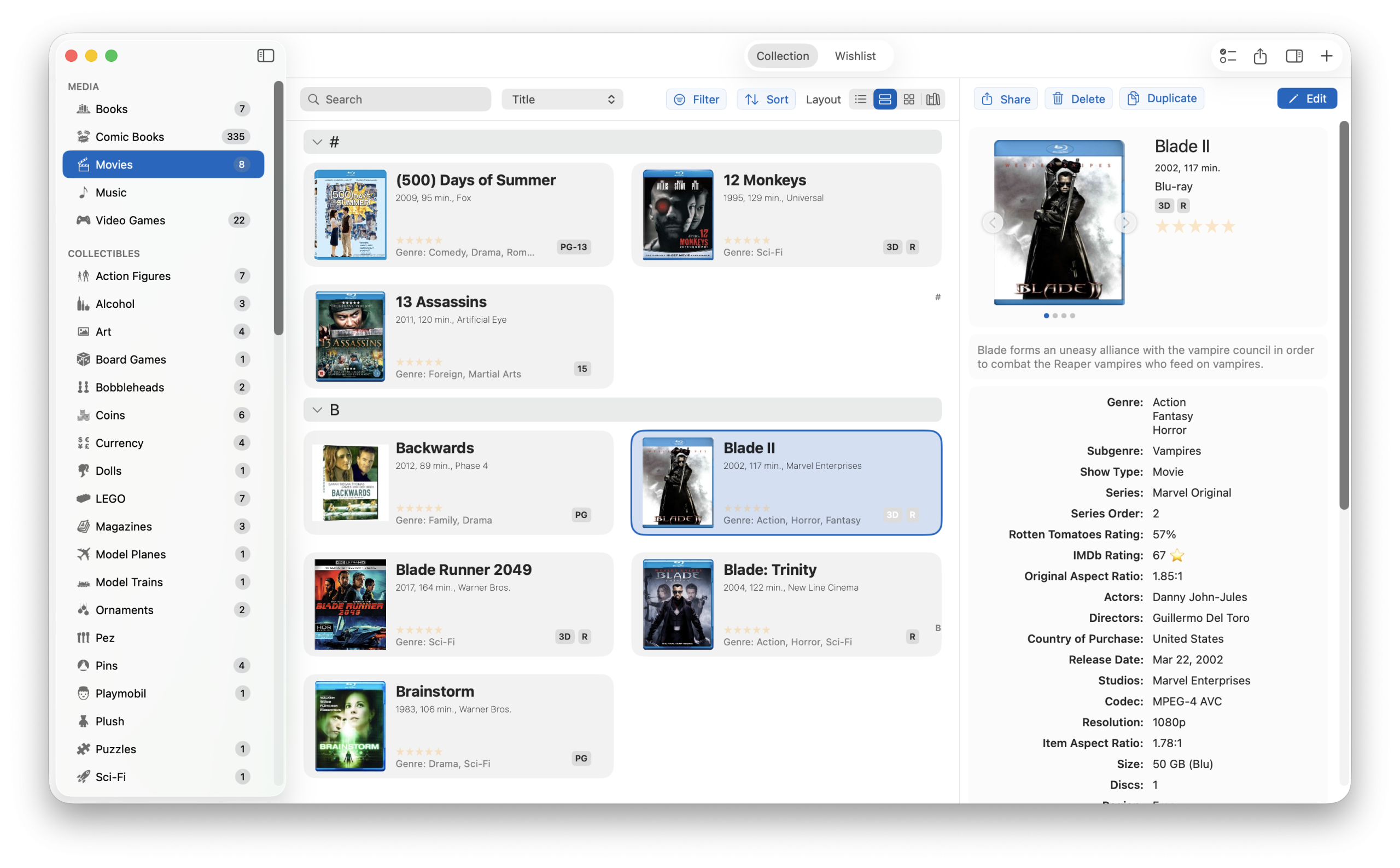
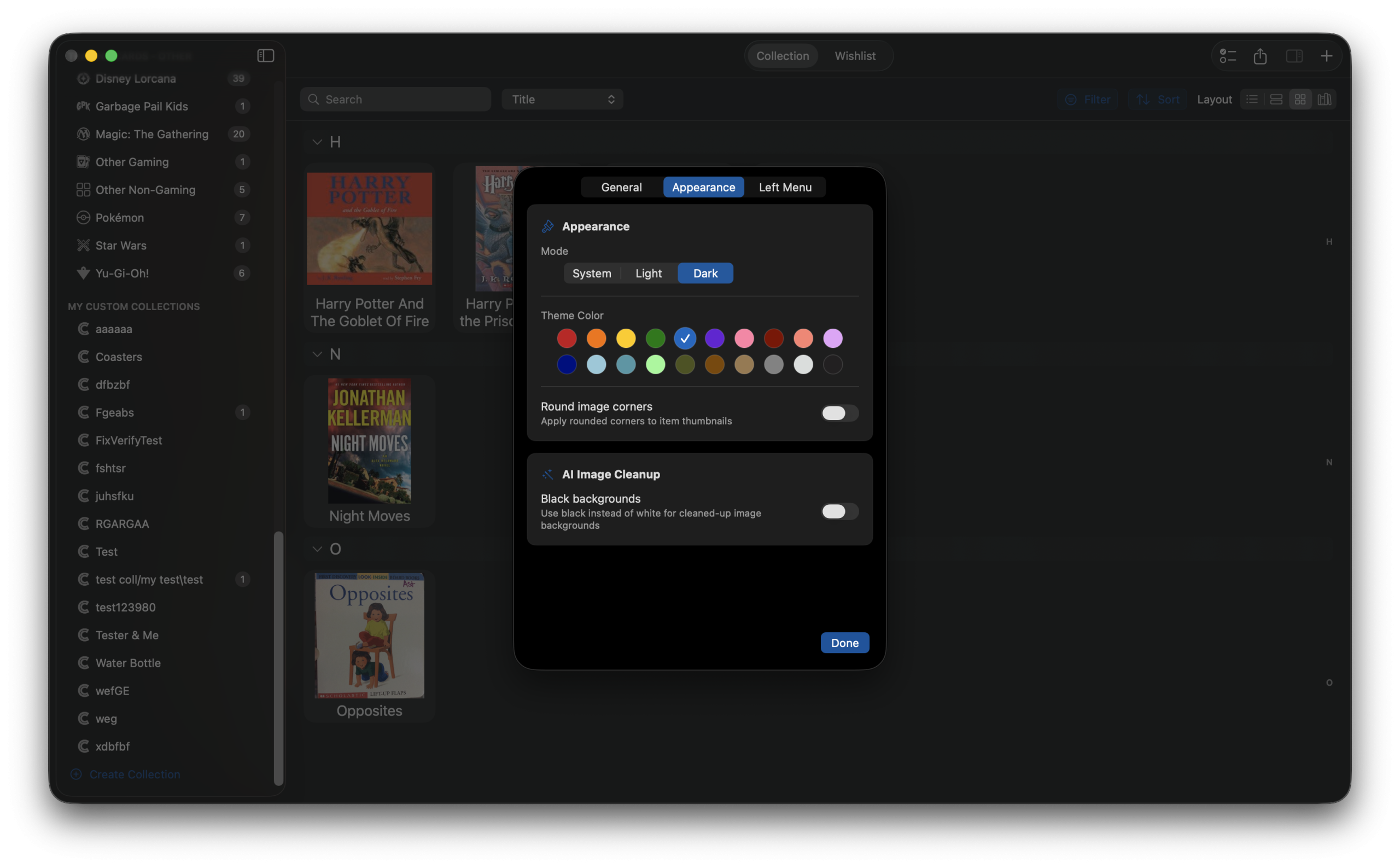
Both Dark Mode and Light Mode are fully supported, and you can switch between them at any time from the settings. Plus, you can personalize your sidebar with theme accent colors to make the app truly your own.
Four Stunning View Layouts to Browse Your Collection
Everyone has a different preference for how they like to browse their collections. That’s why iCollect Everything for Mac now offers four distinct view layouts, each optimized for different use cases:
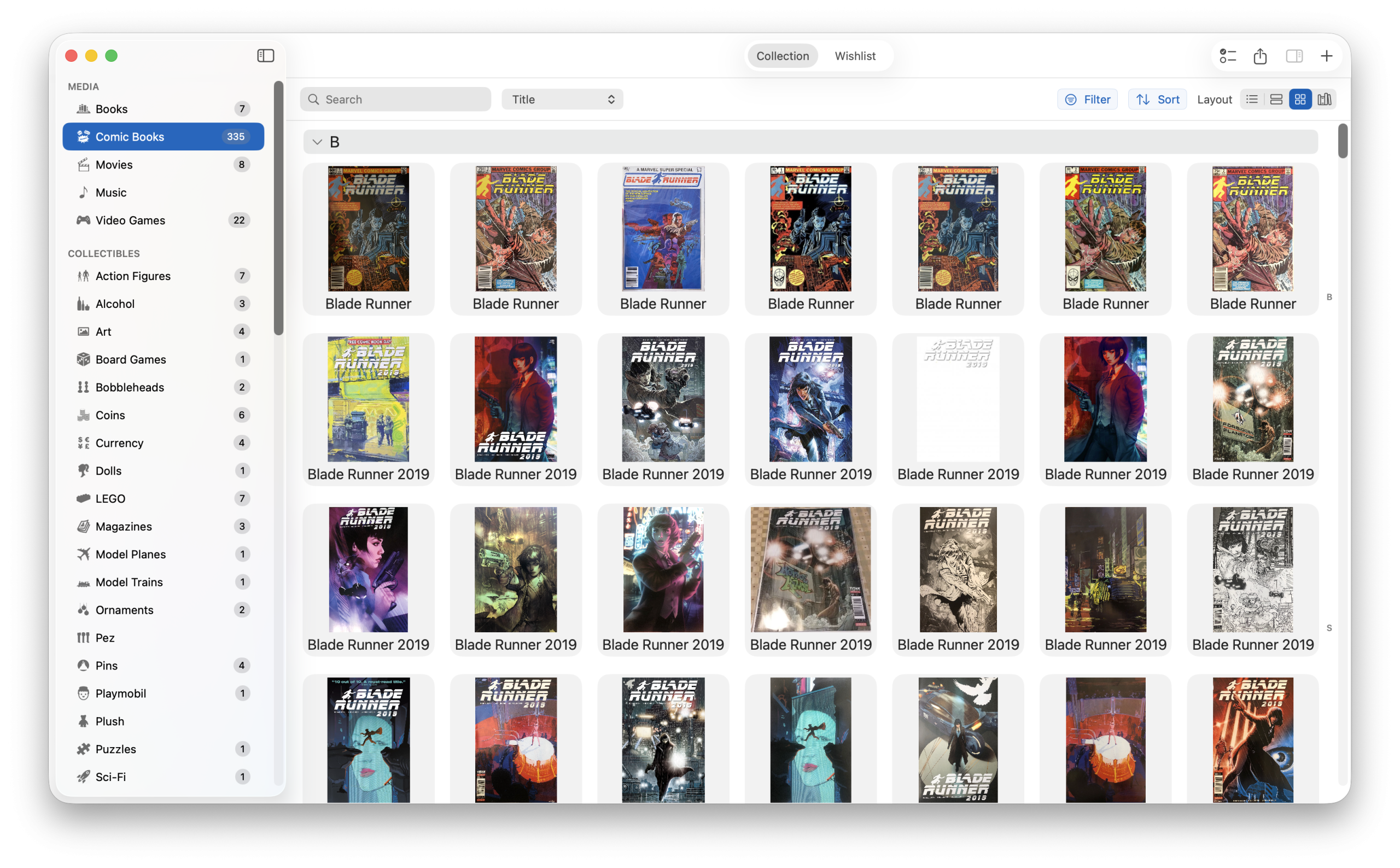
Grid View
The Grid View is perfect for visually browsing your collection. Items are displayed as beautiful cover art cards in a responsive grid layout. You can adjust the number of items per row from 2 to 15, making it easy to see either large, detailed thumbnails or a dense overview of your entire collection at a glance. A show/hide titles option lets you toggle item names below each card.
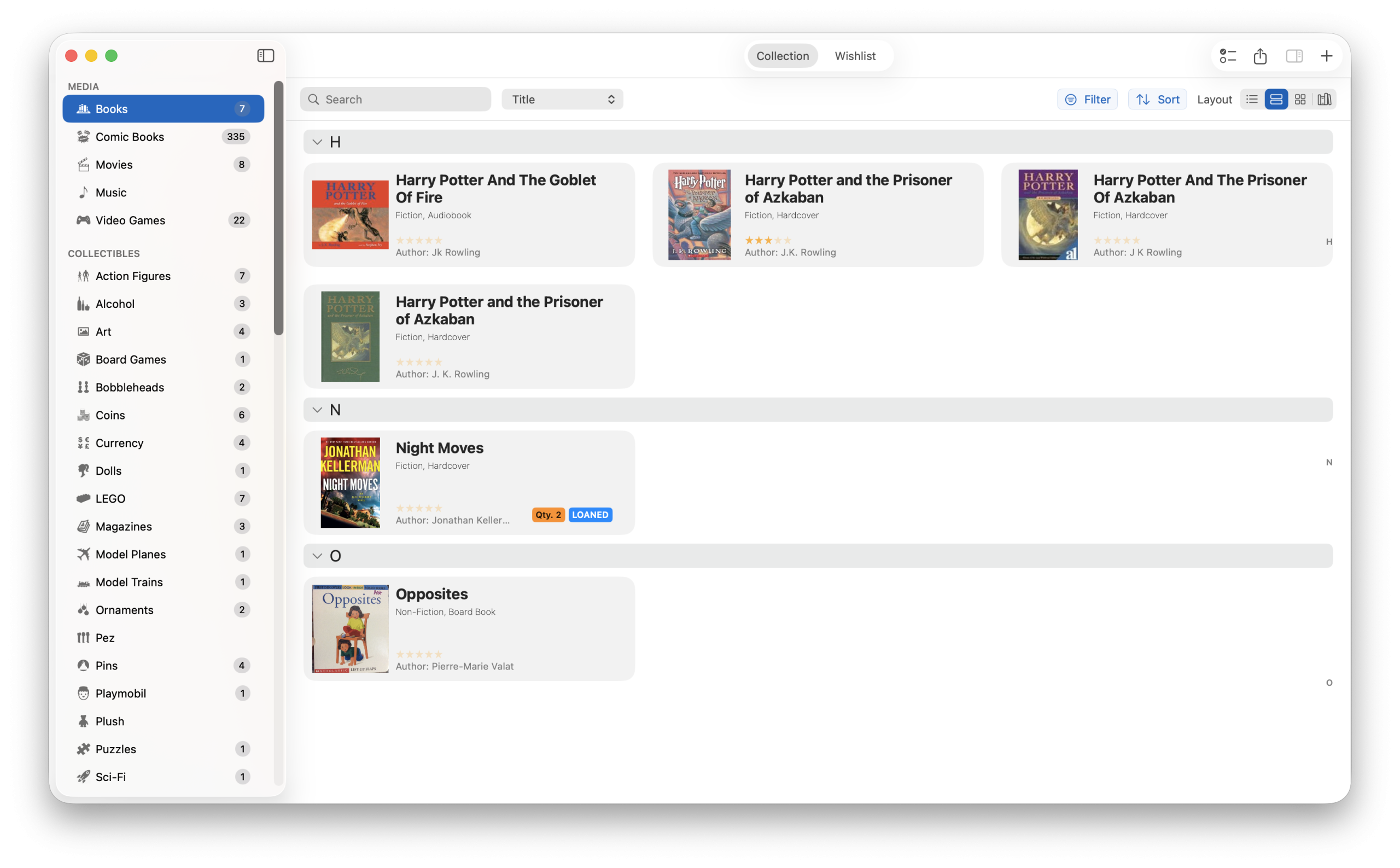
Extended List View
The Extended List View shows each item as a row with a thumbnail image alongside key metadata fields. This is ideal when you want to quickly scan through your collection while still seeing important details like title, year, format, and condition at a glance.
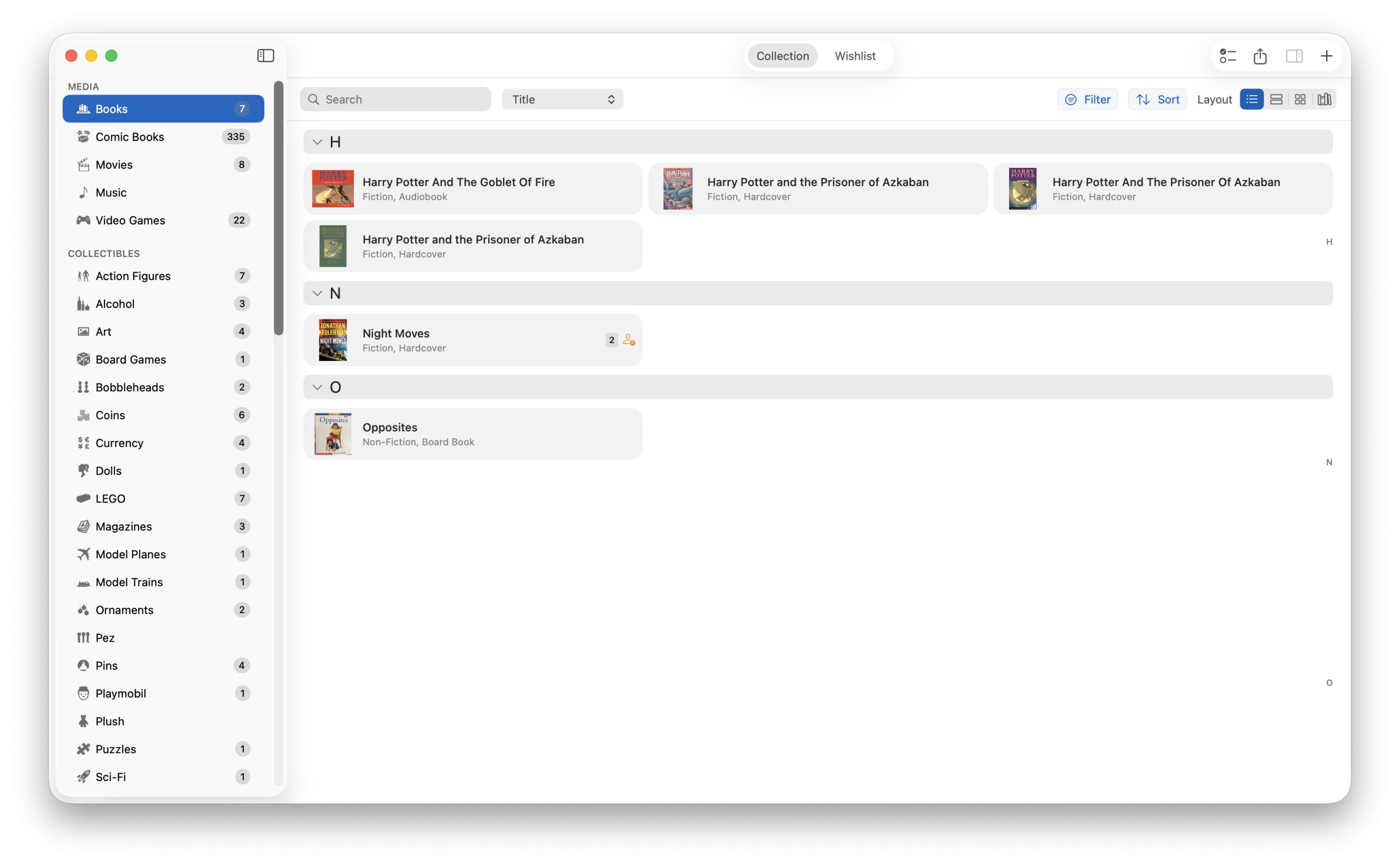
Compact List View
For collectors who want maximum information density, the Compact List View presents your items in a streamlined list format. It’s the fastest way to scroll through large collections and find exactly what you’re looking for.
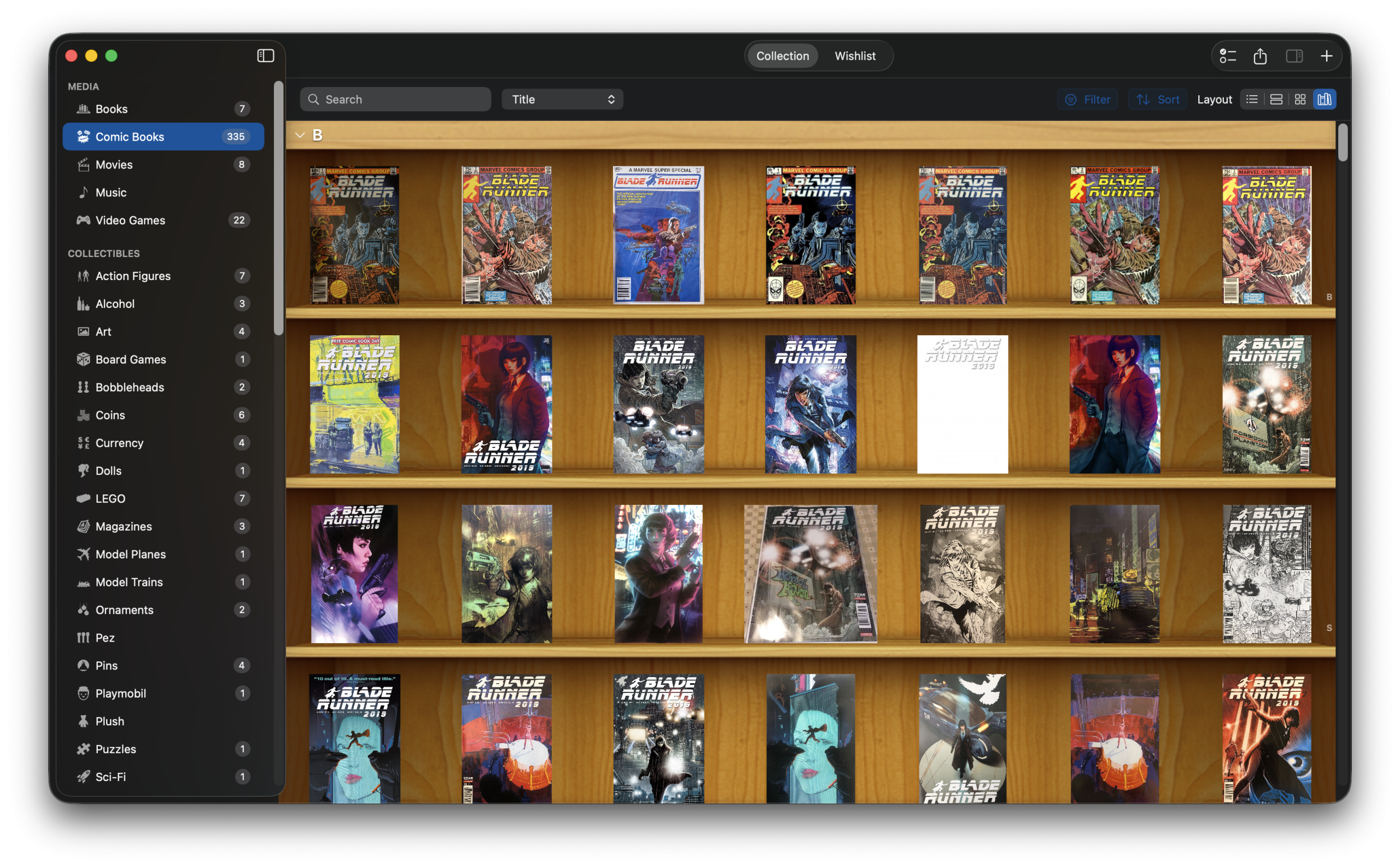
Bookshelf Layout
The charming Bookshelf Layout displays your items on beautifully rendered wood-texture shelves. This is especially delightful for book and media collections, giving your digital library the look and feel of a real bookshelf. It’s a fan favorite and absolutely worth trying.
Dark Mode, Light Mode, and Beautiful Themes
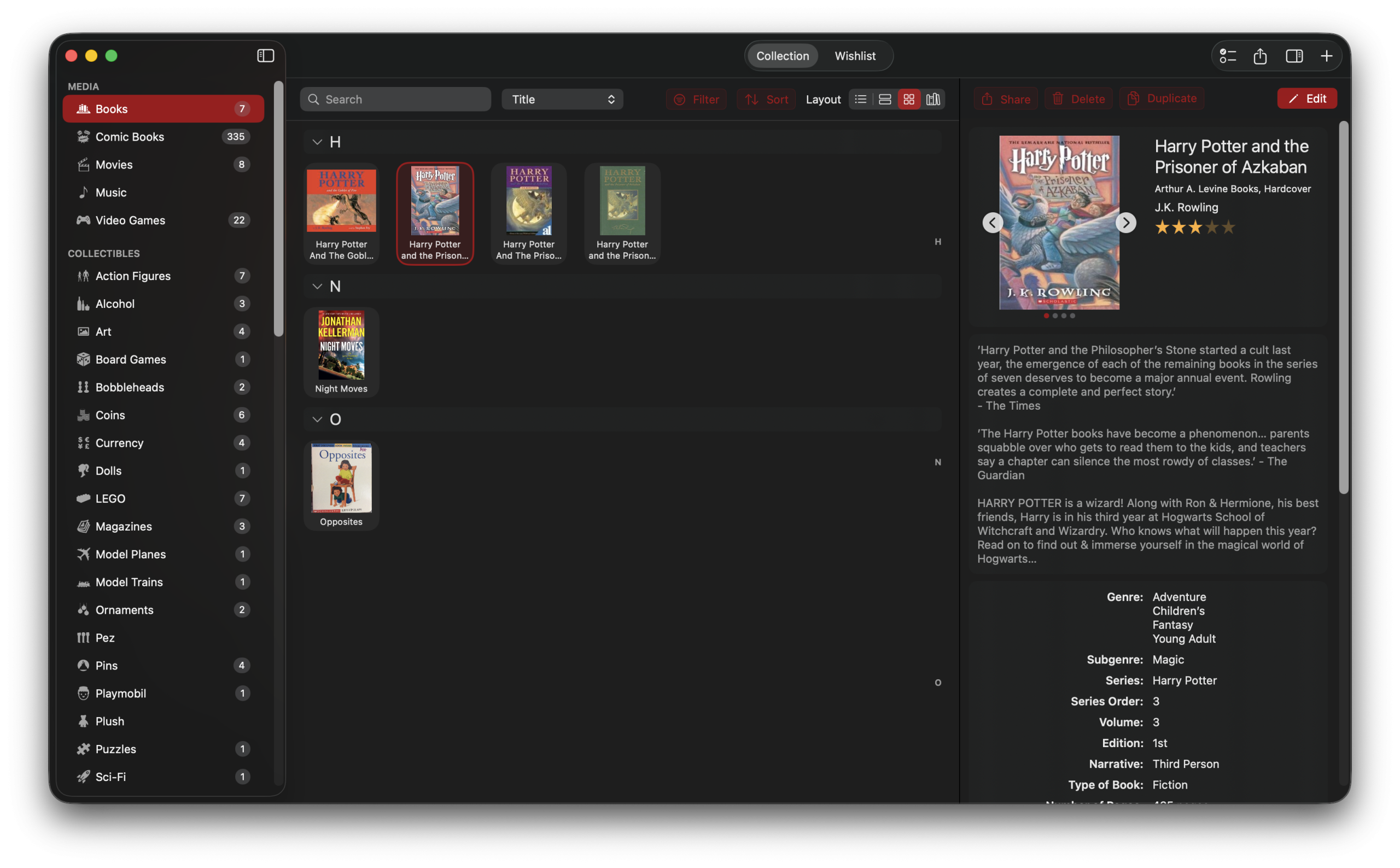
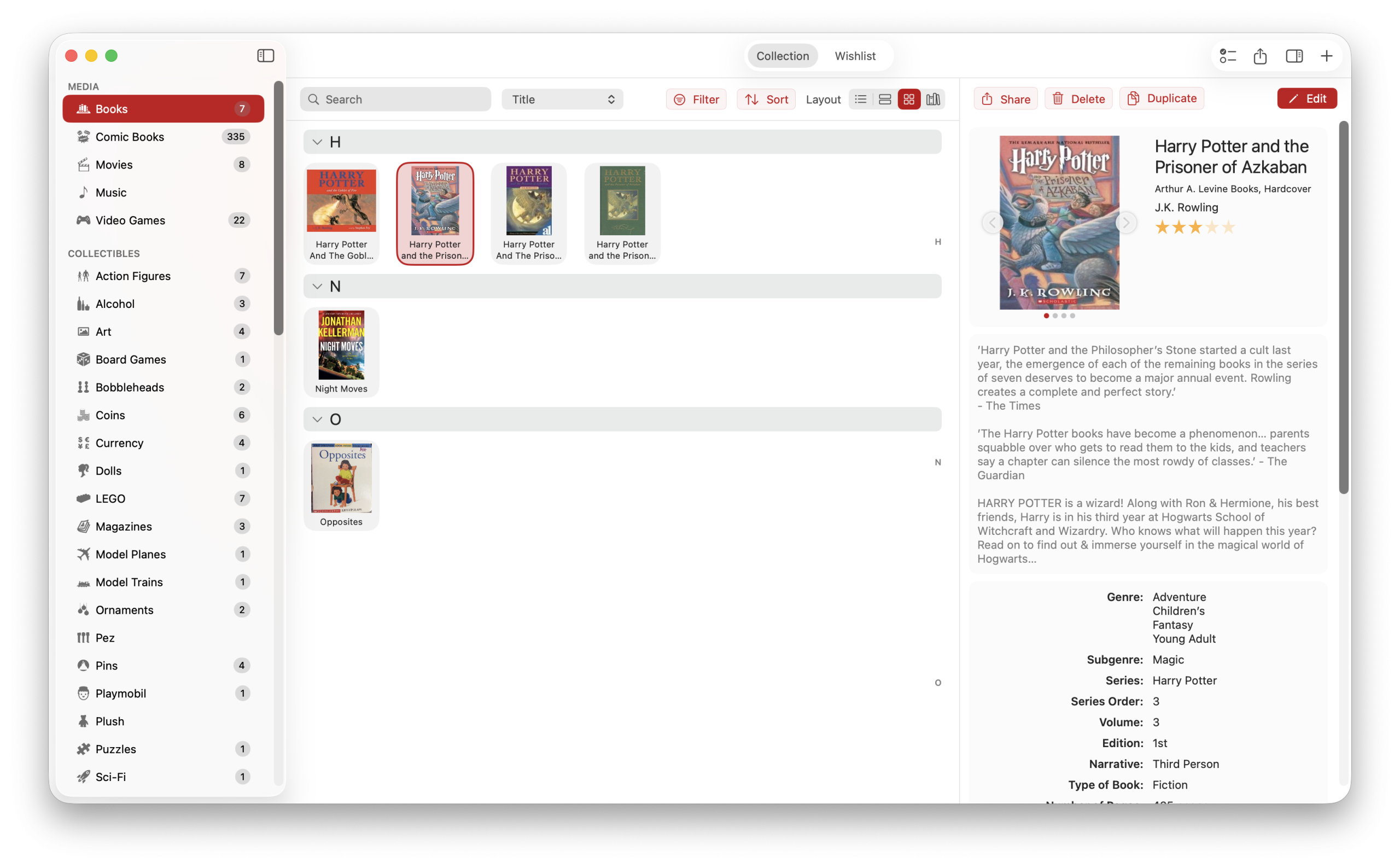
iCollect Everything for Mac now offers complete Dark Mode and Light Mode support that you can toggle at any time from General Settings — no need to rely on system settings. Whether you prefer a sleek dark interface for late-night cataloging sessions or a bright, clean look during the day, the app adapts instantly.
But that’s just the beginning. This update introduces customizable themes with a selection of accent colors that personalize your entire experience. Choose a theme color and watch it apply across the sidebar selection highlight, buttons, and interactive elements throughout the app. Theme colors update live as you browse options, so you can preview each look in real time before committing. It’s a small touch that makes iCollect Everything feel truly yours.
A Brand-New macOS 26 App Icon
First impressions matter. The app icon has been completely redesigned to meet Apple’s latest macOS 26 design standards. The new icon is bolder, more polished, and looks right at home in your Dock alongside Apple’s own apps.
AI-Powered Features: The Future of Collection Management
One of the most exciting additions in this update is the introduction of AI-powered tools that make managing your collection faster and easier than ever. These features are available to Pro subscribers and harness the power of OpenAI to supercharge your cataloging workflow.
AI Auto-Fill
AI Auto-Fill is a game-changer for adding new items to your collection. Simply enter a title or partial information, tap the AI Auto-Fill button, and watch as the app automatically fills in all the remaining fields — author, publisher, year, genre, description, and more. What used to take minutes of manual data entry now happens in seconds.
AI Image Clean-Up
AI Image Clean-Up takes your item photos and transforms them into professional, stock-photo quality images. It removes messy backgrounds, fixes lighting, and produces clean, consistent images that make your collection look stunning. This is perfect for items you’ve photographed yourself — no more cluttered desk backgrounds in your catalog. Learn more about this feature in our dedicated blog post.
AI Scan
AI Scan uses your Mac’s camera to capture an image of a physical item, then leverages OpenAI’s vision capabilities to analyze the image and automatically identify and catalog the item. Simply point your camera at a book, DVD, game, or collectible, and AI Scan will recognize it and fill in the details. It’s like having a personal cataloging assistant.
30+ Built-In Collection Types
iCollect Everything for Mac supports an incredible variety of collection types right out of the box. Whether you’re a casual hobbyist or a serious collector, there’s a purpose-built template for your needs. Our macOS collection tracker includes templates for:
- Books — Track your library with ISBN scanning
- Comic Books — Catalog issues, series, publishers, and grades
- Movies & TV Shows — Manage your film collection across formats
- Music — Vinyl, CDs, cassettes, and digital albums
- Video Games — Console, PC, and handheld games
- Action Figures — Track your figures with detailed metadata
- LEGO Sets — Catalog sets, pieces, and themes
- Trading Cards — Including Pokemon, Magic: The Gathering, Yu-Gi-Oh!, Disney Lorcana, Star Wars, and Garbage Pail Kids
- Coins & Stamps — Numismatic and philatelic collections
- Wine & Beer — Cellar management and tasting notes
- Funko Pop — Track your Pop collection
- Hot Wheels — Die-cast car cataloging
- And many more including Sports Cards, Dolls, Board Games, Vinyl Records, Sneakers, Watches, and more
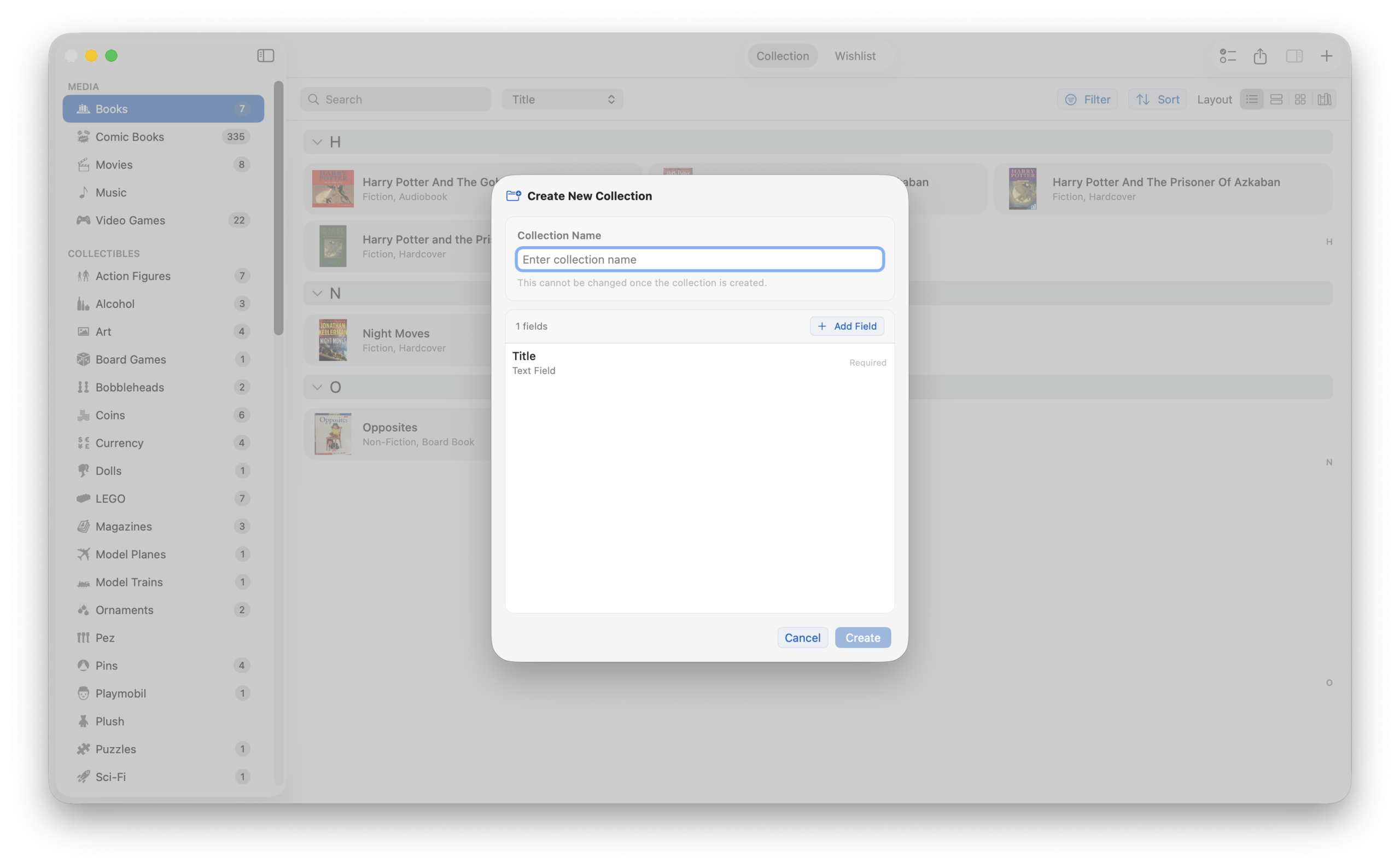
Don’t see your specific collectible? No problem. You can create fully custom collections with custom fields tailored to exactly what you collect. The collectibles catalog possibilities are truly unlimited.
Trading Card Support: Pokemon, Magic, Yu-Gi-Oh!, and More
A highly requested feature, full trading card support, is now built into the app. iCollect Everything for Mac is now one of the best trading card collection apps for macOS, with dedicated support for:
- Pokemon cards
- Magic: The Gathering cards
- Yu-Gi-Oh! cards
- Disney Lorcana cards
- Star Wars trading cards
- Garbage Pail Kids cards
Each trading card type includes card variant selection and stamp support, so you can accurately track different prints, foils, holos, reverse holos, and other variations. The database search pulls card data so you can quickly add cards without manual entry.
Powerful Item Management Features
Managing your collection has never been easier or more feature-rich. Here’s what you can do with every item in your inventory management Mac app:
10 Images Per Item
You can now attach up to 10 images per item (up from the previous limit of 4). Document every angle, detail, and variant of your collectibles with high-resolution photos.
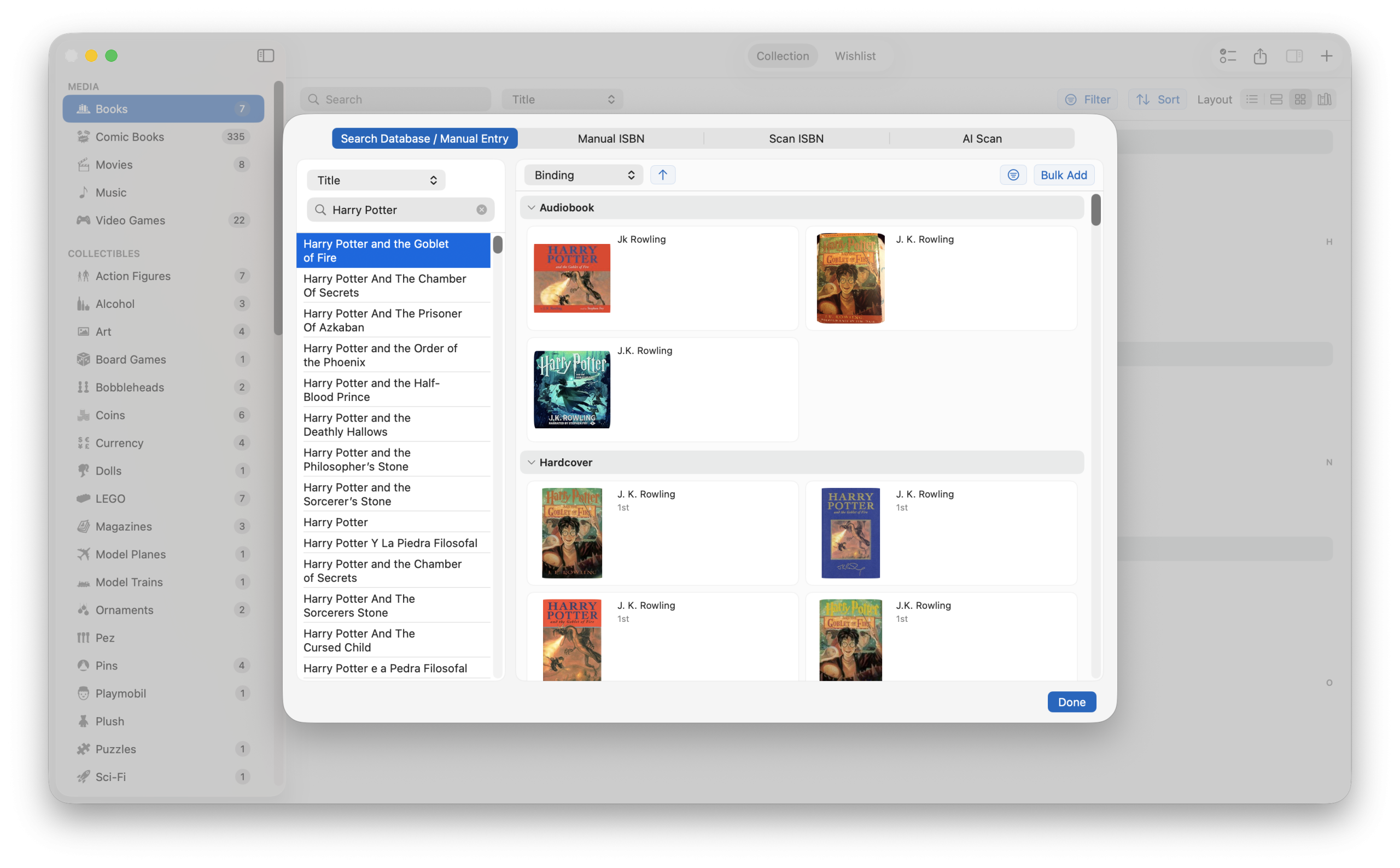
Database Search with Smart Results
The database search feature connects to our extensive online databases to look up items by title, barcode, or keyword. When you search, you’ll see rich results with cover art and metadata that you can add to your collection with a single click. Field-specific search options let you narrow results by specific attributes.
Barcode Scanning
Use your Mac’s webcam for barcode scanning to instantly look up items. The app supports ISBN barcode scanning for books and UPC/EAN barcodes for other products. The camera persists between scans, so you can quickly scan multiple items in succession without re-opening the scanner.
Bulk Operations
Need to update multiple items at once? iCollect Everything supports Bulk Add, Bulk Edit, and Bulk Delete operations. Select multiple items and apply changes to all of them simultaneously — a massive time saver for large collections.
Collection and Wishlist Tabs
Every collection type includes both a Collection tab and a Wishlist tab. Track what you own and what you’re looking for in one unified interface. You can easily move items between your Collection and Wishlist as you acquire new pieces.
Inline Editing and Collapsible Sections
Edit fields support inline editing for quick updates without opening a full editor. Item detail views feature collapsible and expandable sections to keep the interface clean while giving you access to all metadata. A convenient right-side A-Z index navigation lets you jump to any letter instantly in large collections.
The Info Panel: See Everything at a Glance
The new Info Panel is one of the most useful additions to the app. Select any item in your collection, and a detailed panel slides in from the right showing all of the item’s metadata, images, and details. You can see everything about an item without navigating away from your collection view.
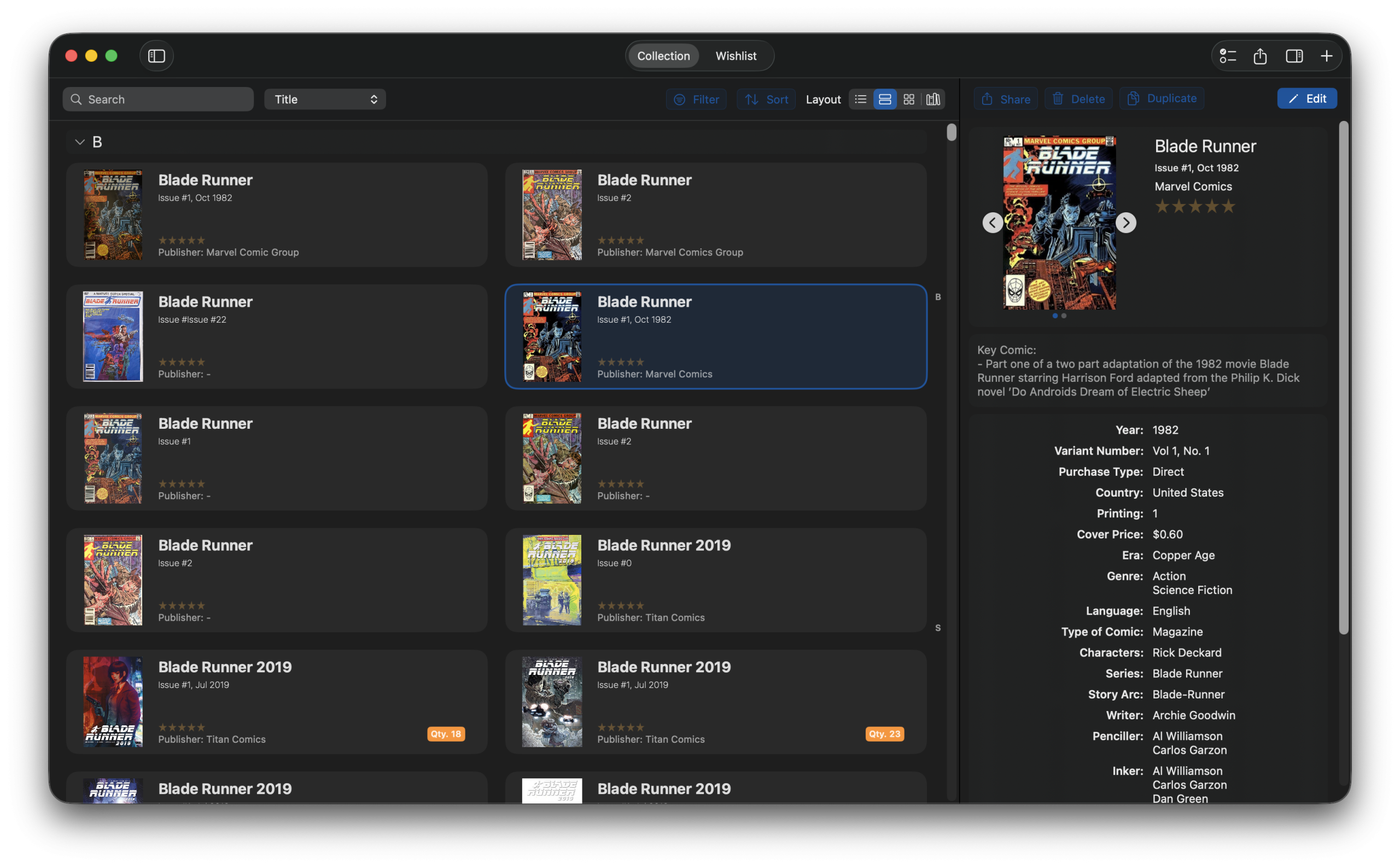
The Info Panel includes:
- All item metadata and custom fields
- Share individual items with other collectors
- Barcode display at the bottom of the info view
- Date and time added information
- A convenient Move to Wishlist/Collection button
- PREORDERED badge support for upcoming items
Advanced Filtering and Sorting
Finding specific items in large collections is effortless with the new advanced filtering system. The filter panel shows only current values from your actual items, so you’re never sifting through irrelevant options. Filter by any field — genre, format, condition, year, publisher, and more.
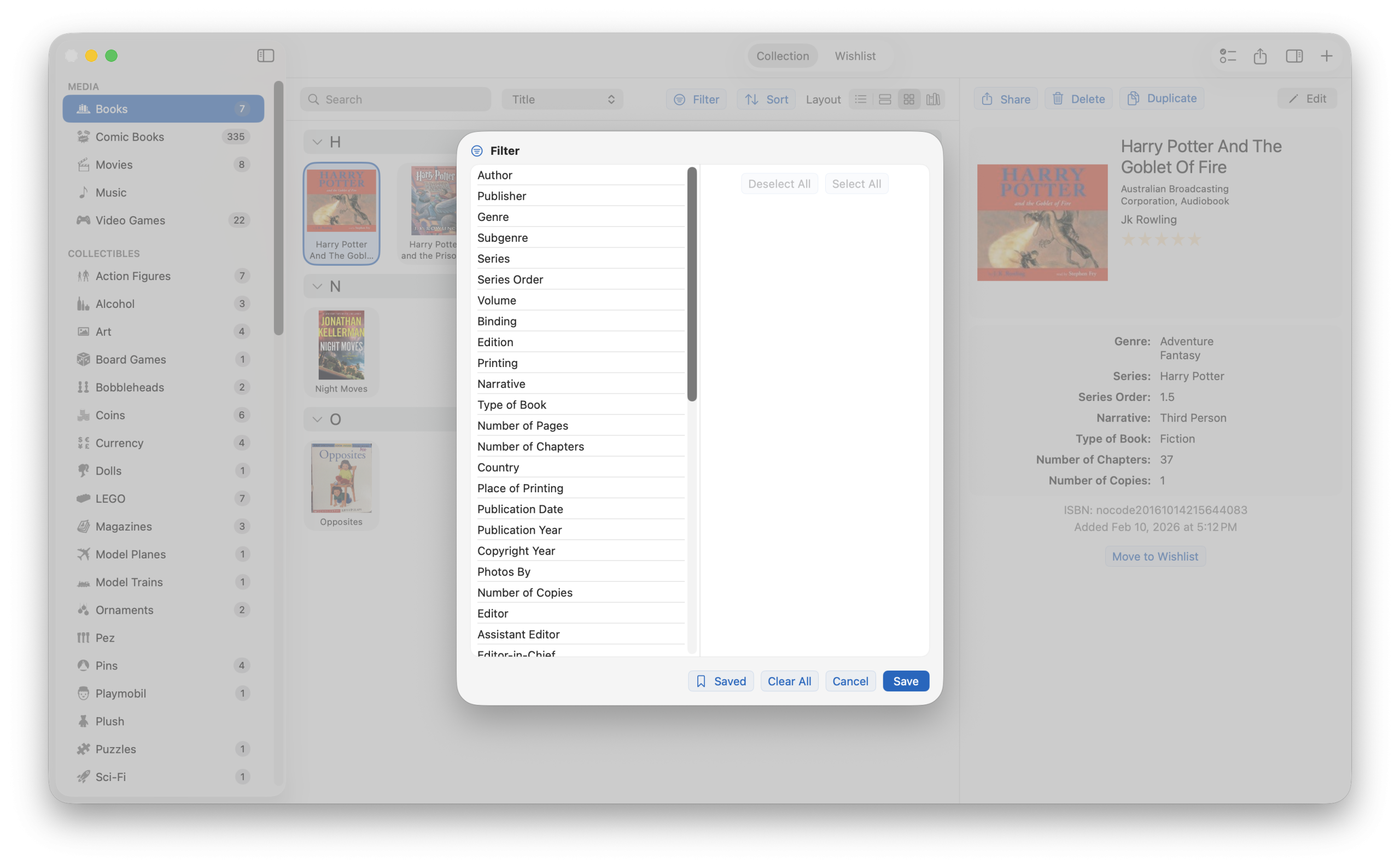
Best of all, you can save unlimited filter presets so your most-used searches are always just a click away. Comprehensive sort options let you organize your collection exactly how you want it.
CSV Import and Export
Moving data in and out of iCollect Everything is seamless with our complete CSV import and export system. You can:
- Drag and drop CSV files directly into the app to import
- Automatic barcode lookup during import to enrich your data
- Field-specific formatting ensures clean data mapping
- Built-in validation and error handling flags issues before import
- Export your entire collection to CSV for backup or analysis
This makes it easy to migrate from other collection management apps or spreadsheets, and ensures you always have a portable backup of your data.
Settings and Customization
iCollect Everything for Mac puts you in complete control of how the app looks and behaves. The settings system has been completely revamped:
General Settings
Configure your preferred grid layout, set your currency for collection values, toggle privacy features, choose between Dark and Light mode, enable round image corners, and more.
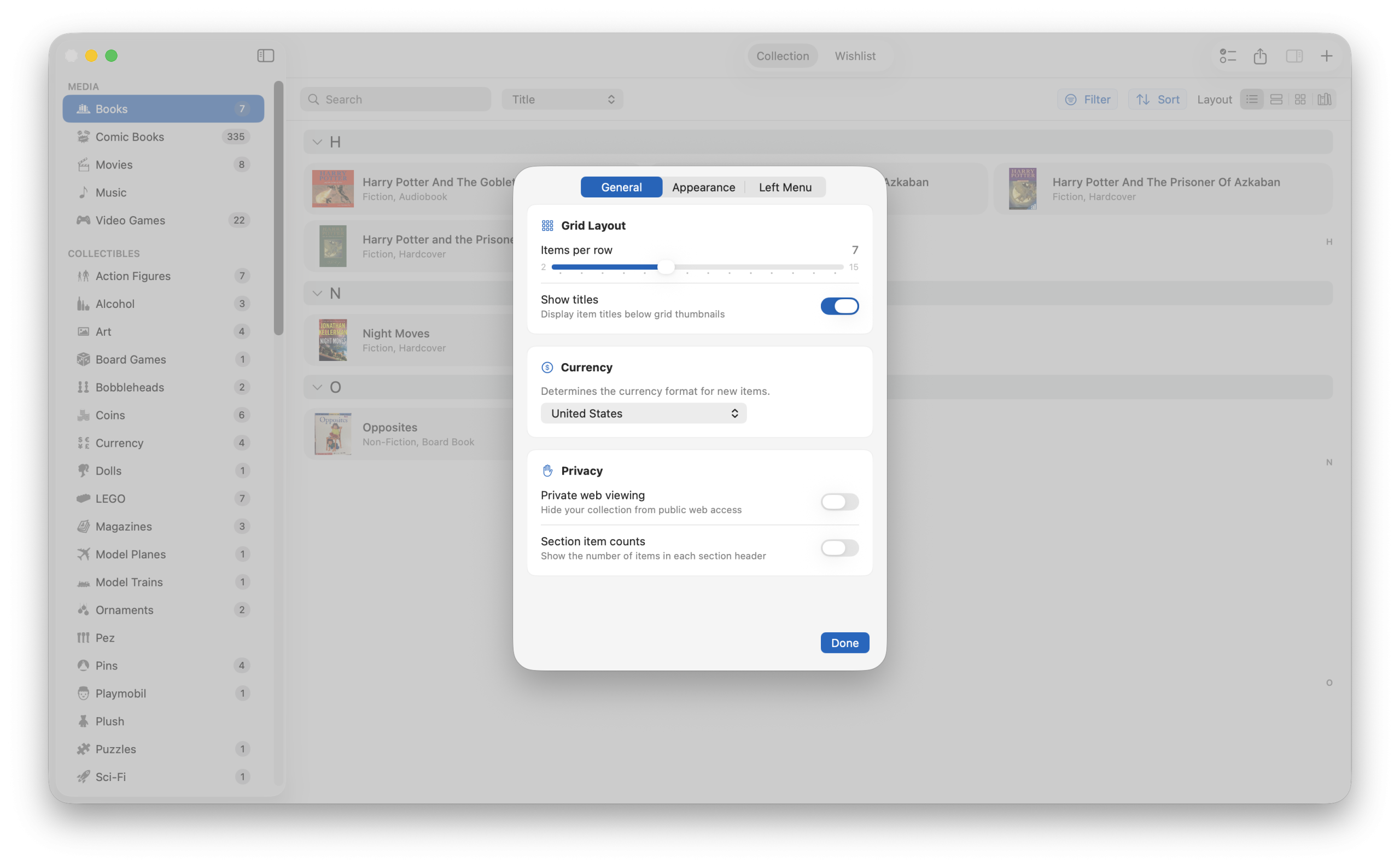
Collection Settings
Each collection can have its own title format and name format settings, so your book collection can sort by “Last, First” while your movie collection sorts by title. Right-click any collection in the sidebar to quickly rename it.
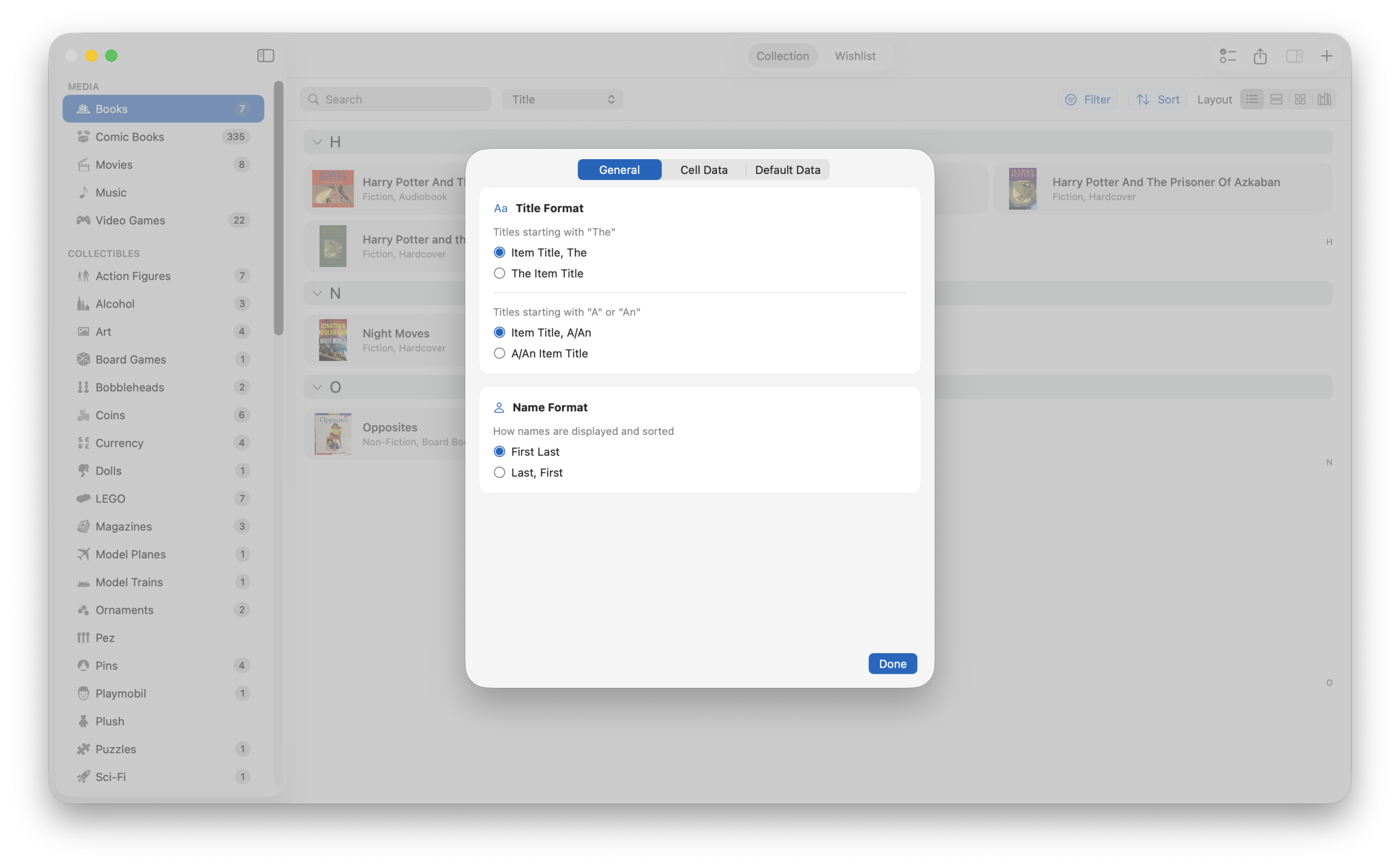
Field Visibility (Edit Fields)
Not every field is relevant to every collector. The Edit Fields feature lets you toggle the visibility of individual fields with simple switches. Show only the information that matters to you and hide everything else for a cleaner, more focused experience.
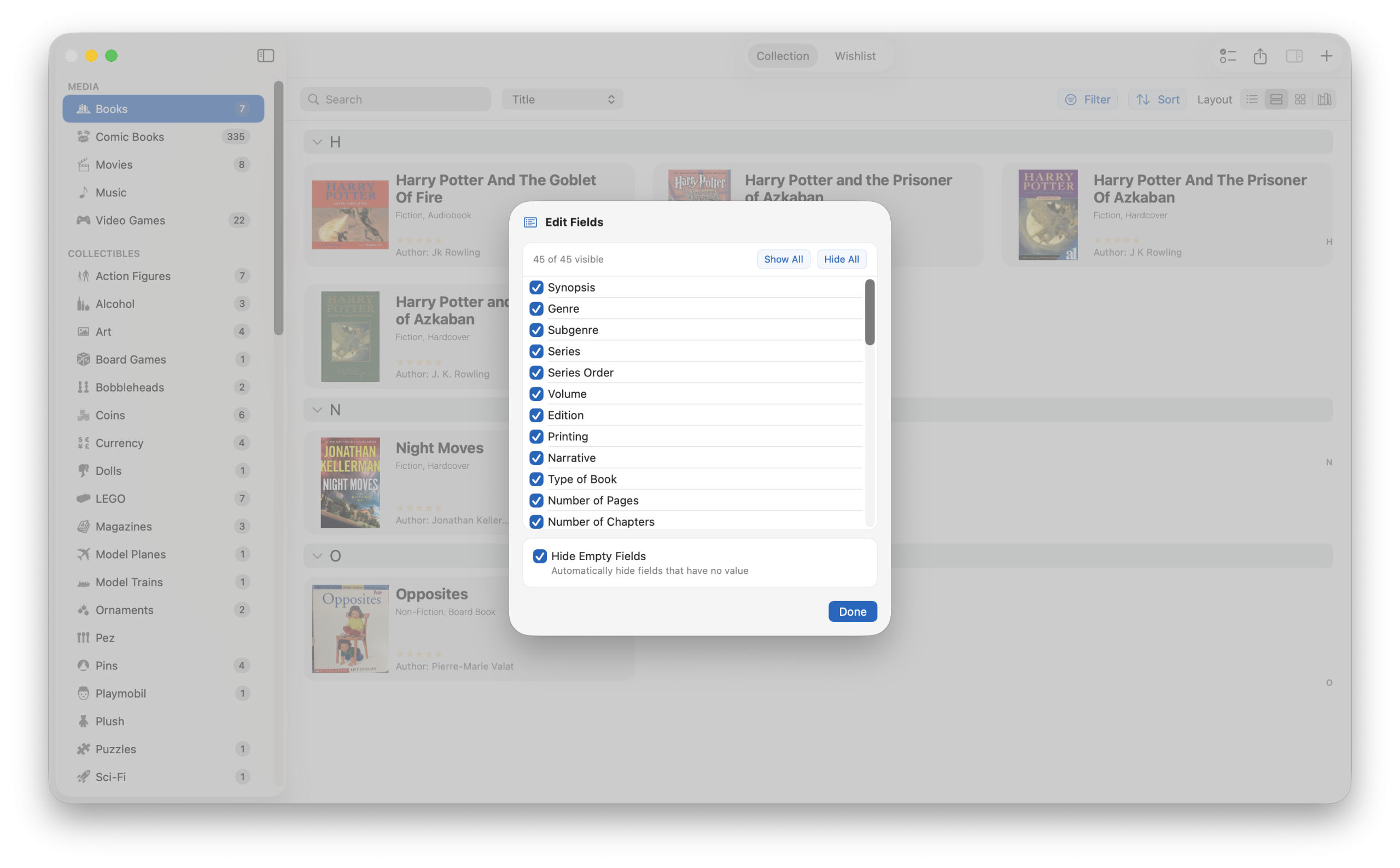
Estimated Collection Value
Curious what your collection is worth? iCollect Everything tracks the estimated value of your entire collection based on the values you assign to individual items. See the total value at a glance and keep track of your collection’s worth over time.
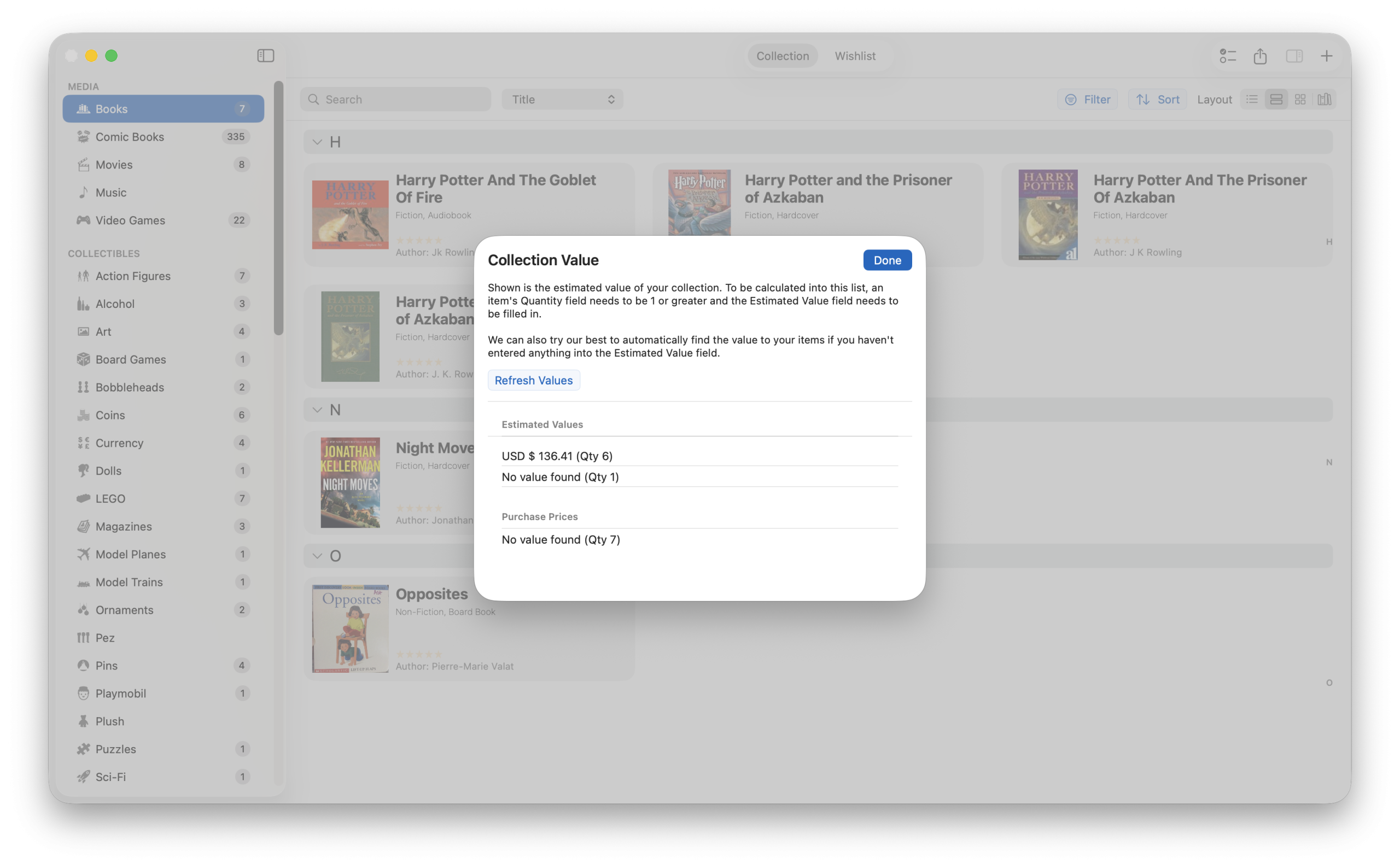
Sidebar Navigation with Collection Icons
The redesigned sidebar gives you instant access to all your collections. Each collection displays its custom icon and item count, so you can see at a glance how many items are in each collection. The sidebar supports theme accent colors for personalization, and you can right-click any collection to access options like rename, delete, or collection settings.
Sharing and Social Features
Show off your collection with the built-in Share button in the toolbar. Generate shareable URLs for your collections that others can view on the iCollect Everything website. You can also share individual items from the Info Panel. The Web Name Change menu item lets you customize your public profile name.
Account Management
Managing your iCollect Everything account is straightforward with the integrated account management screen. View your subscription status, manage your Pro plan through RevenueCat, and access support resources all from within the app.
Complete German Localization
For our German-speaking users, iCollect Everything for Mac now features a complete German translation with over 817 translated strings. This includes full plural variations for all count strings, locale-aware content from our servers, and proper formal German (Sie) throughout the interface. The app automatically detects your system language and switches accordingly.
Under the Hood: Technical Excellence
This update isn’t just about features you can see — there are significant technical improvements that make the app faster, more reliable, and more maintainable:
- 924+ Swift tests across 30 test suites ensure rock-solid reliability
- Modern os.Logger integration for better diagnostics
- CryptoKit migration for improved security
- Firebase Crashlytics integration for real-time crash reporting
- Performance optimizations throughout for smoother scrolling and faster load times
- Compilation caching for faster development cycles
- Built with SwiftUI and Swift 6.2 and modern concurrency patterns
Download iCollect Everything for Mac Today
Whether you’re a seasoned collector looking for the best collection management app for Mac, or just getting started with cataloging your first collection, iCollect Everything has everything you need. With 30+ collection types, AI-powered features, multiple view layouts, trading card support, and a beautiful native macOS design, there’s simply nothing else like it on the Mac App Store.
Download iCollect Everything for Mac on the App Store
Already using iCollect Everything on iOS or Android? Your collections sync seamlessly across all your devices. Visit icollecteverything.com to learn more about all our apps and features.
Have questions or feedback about the new update? We’d love to hear from you. Visit our website or reach out through the app’s built-in support options.
iCollect Everything — Collect anything. Track everything. Available on Mac, iOS, and Android.